IA & PLATEFORME
Ask complex business questions that would otherwise require multiple reports and manual analysis. Expanded financial inquiries allow AI Assistant to analyze document history and answer questions about prior periods and specific dates, helping finance teams understand how balances changed, identify trends, and investigate the transactions behind the numbers. Receive answers as text, charts, or tables, and generate and refine reusable dashboard widgets. Review the source Generic Inquiry and query details behind each widget, then add selected widgets to an editable dashboard so teams can continue using them after the conversation ends.
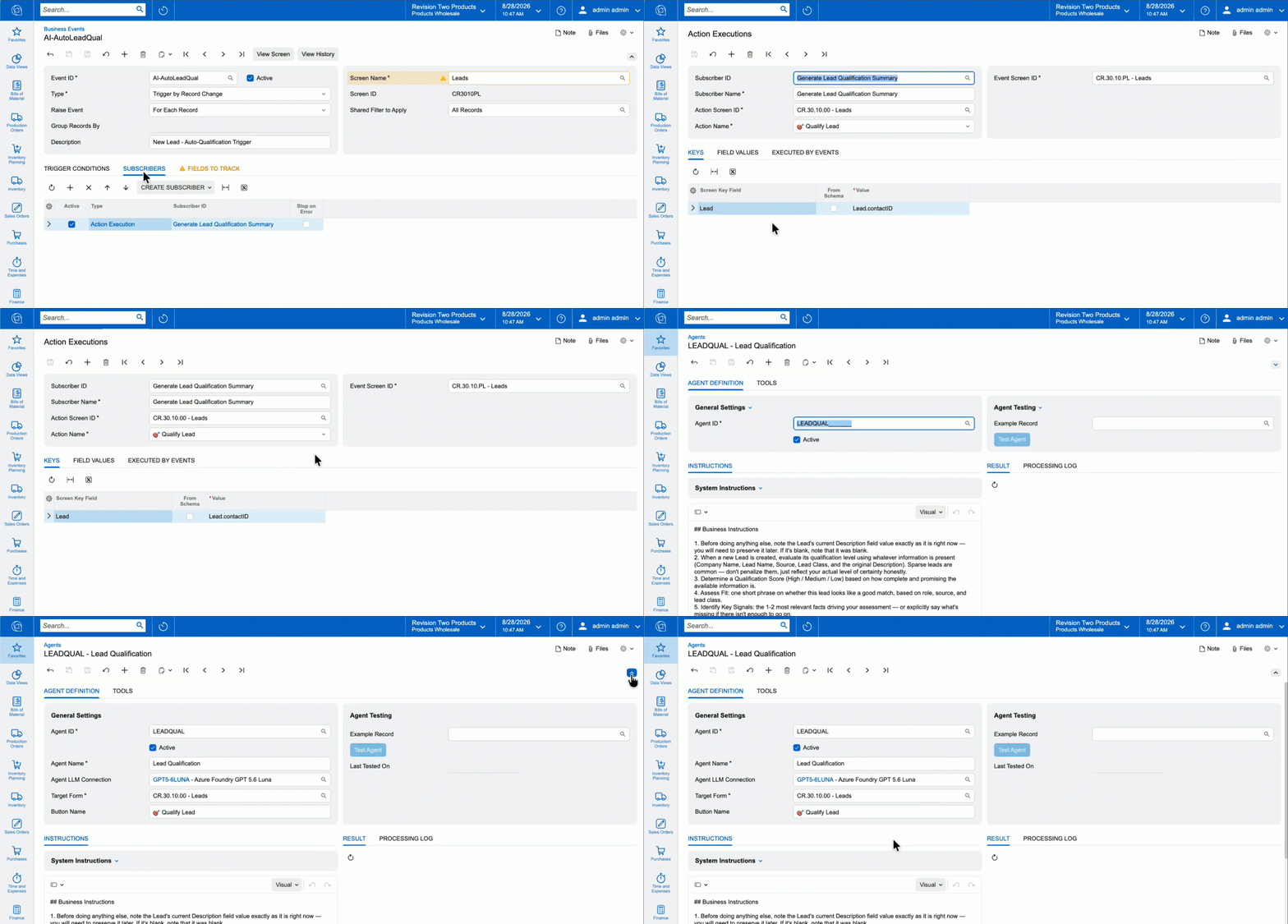
Give your teams AI agents that are simple to create and powerful when connected. Agents can start automatically through Business Events, Import/Export Scenarios, or workflows your teams already use. They draw on relevant ERP data to inform their reasoning, take precise action, and pass work to the next agent or automated step. Automate work such as adjusting prices to meet target margins, applying discounts, qualifying new leads, or assessing credit risk.
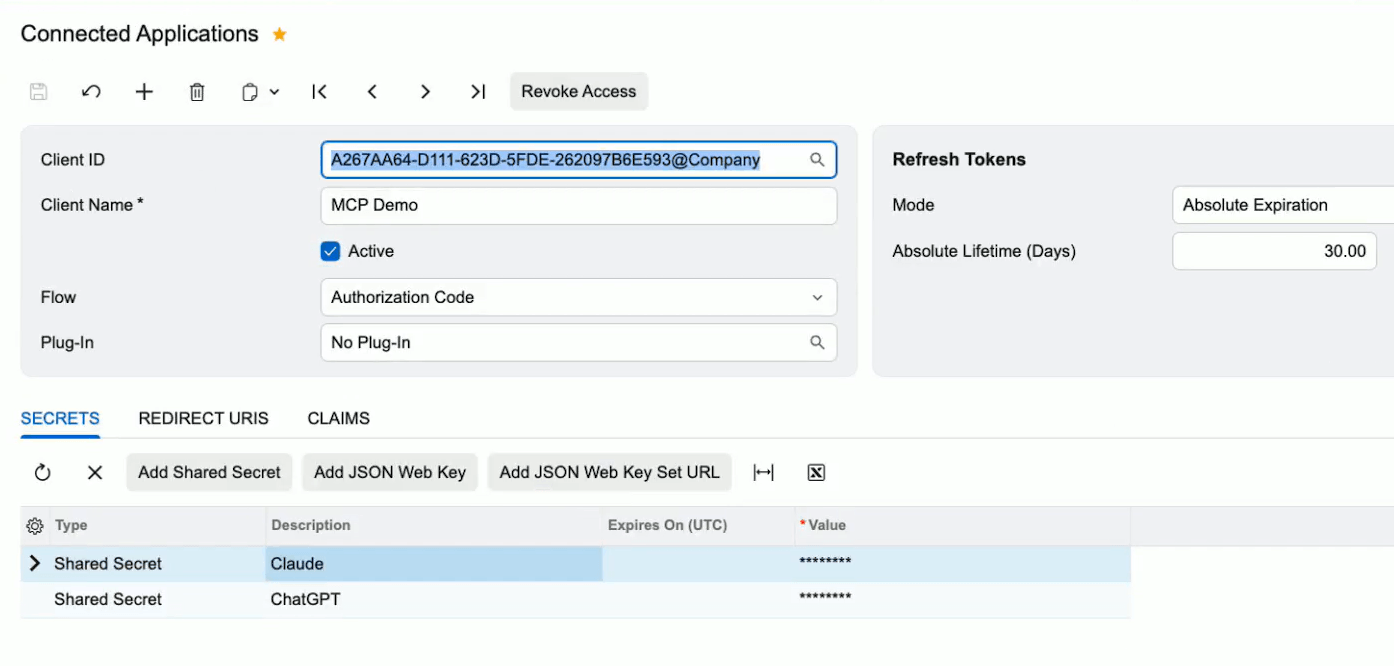
Give AI agents and external applications standardized read-only access to selected Acumatica ERP data. Administrators configure Model Context Protocol (MCP) servers and expose published Generic Inquiries as callable tools, so employees can ask assistants like Claude or ChatGPT questions and get answers drawn straight from Acumatica. Every request runs under the user's existing access rights and is logged, keeping data governed as AI use expands.
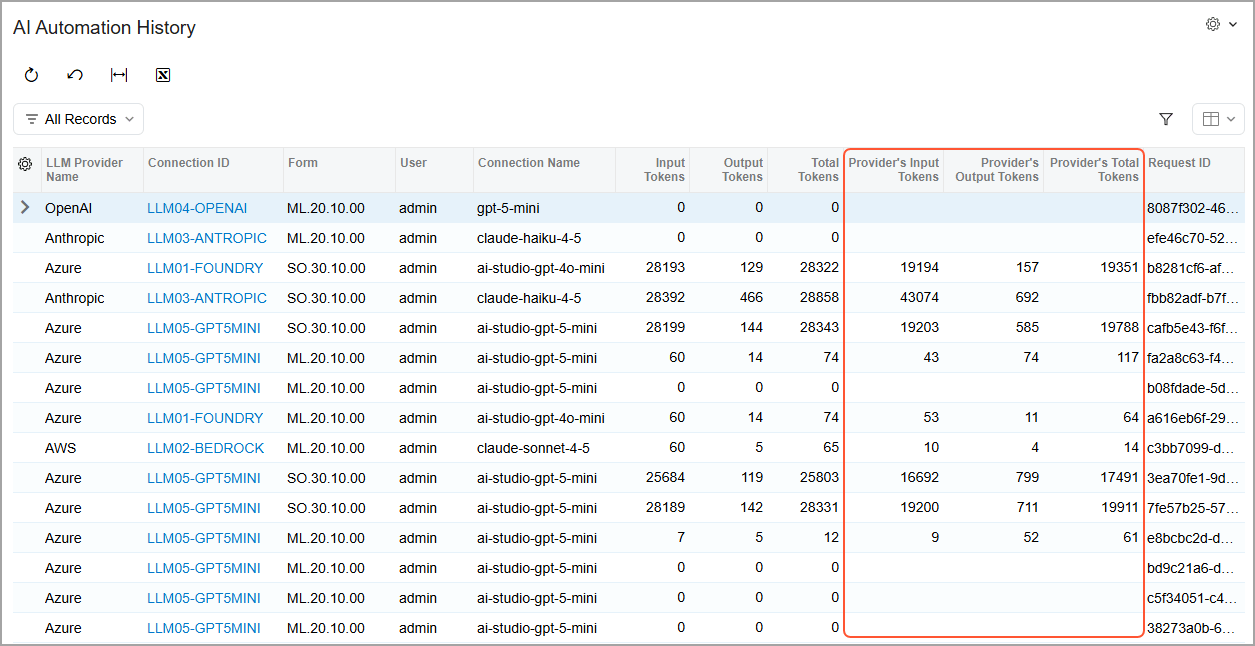
Mask selected fields from the current record before AI Automation sends information to an LLM, then restore the original values inside Acumatica. Expanded processing logs and provider-reported token counts give administrators greater visibility into the data exchanged, and usage across each automation.
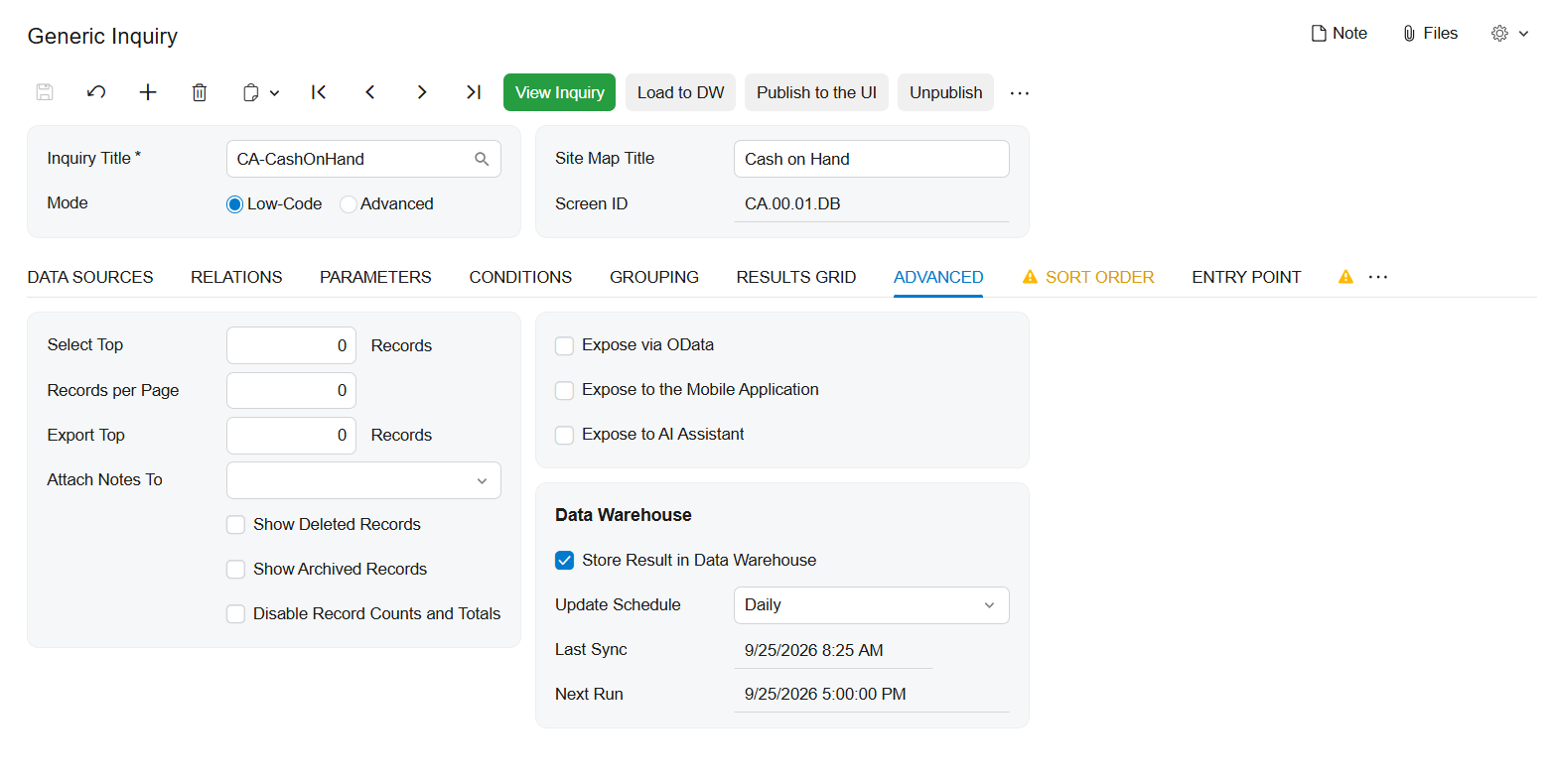
With Generic Inquiry Optimization, you can store the results of large, complex, or frequently accessed Generic Inquiries in a dedicated table instead of recalculating them with every request. Refresh results on a schedule or on demand, then reuse them across dashboards, OData, MCP, and pivot views. Grouped Table views organize inquiry results into expandable hierarchies with subtotals, totals, and calculated values—making complex information easier to analyze without rebuilding the inquiry in Report Designer.
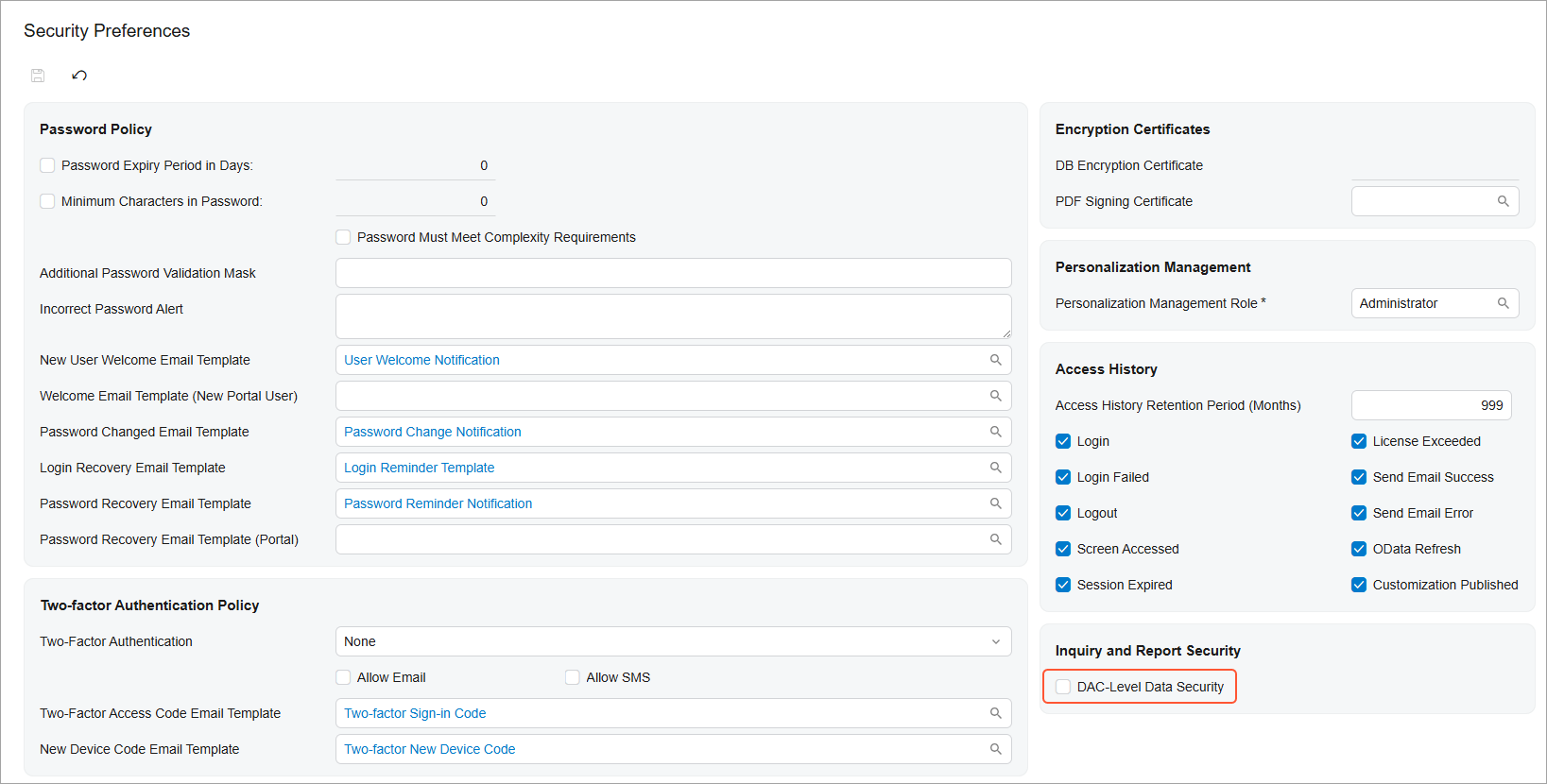
Give business users freedom to create their own Generic Inquiries while keeping restricted data protected. When enabled, DAC-level security uses existing screen-based permissions to control which Data Access Classes (DACs)—the underlying data objects used by Acumatica screens—are available in the Generic Inquiry form and DAC Schema Browser. Users can create inquiries while accessing only authorized data, and administrators gain greater visibility into how access is determined across data sources, screens, and roles.
Introduced over the past several releases, the Modern UI is now the default experience, while Classic-only screens remain accessible in 2026 R2 with advance warnings. Organizations can use this release to identify and migrate remaining Classic forms, dashboards, pivot tables, and customizations before Classic-only functionality is retired in the next 2027 R1 release.
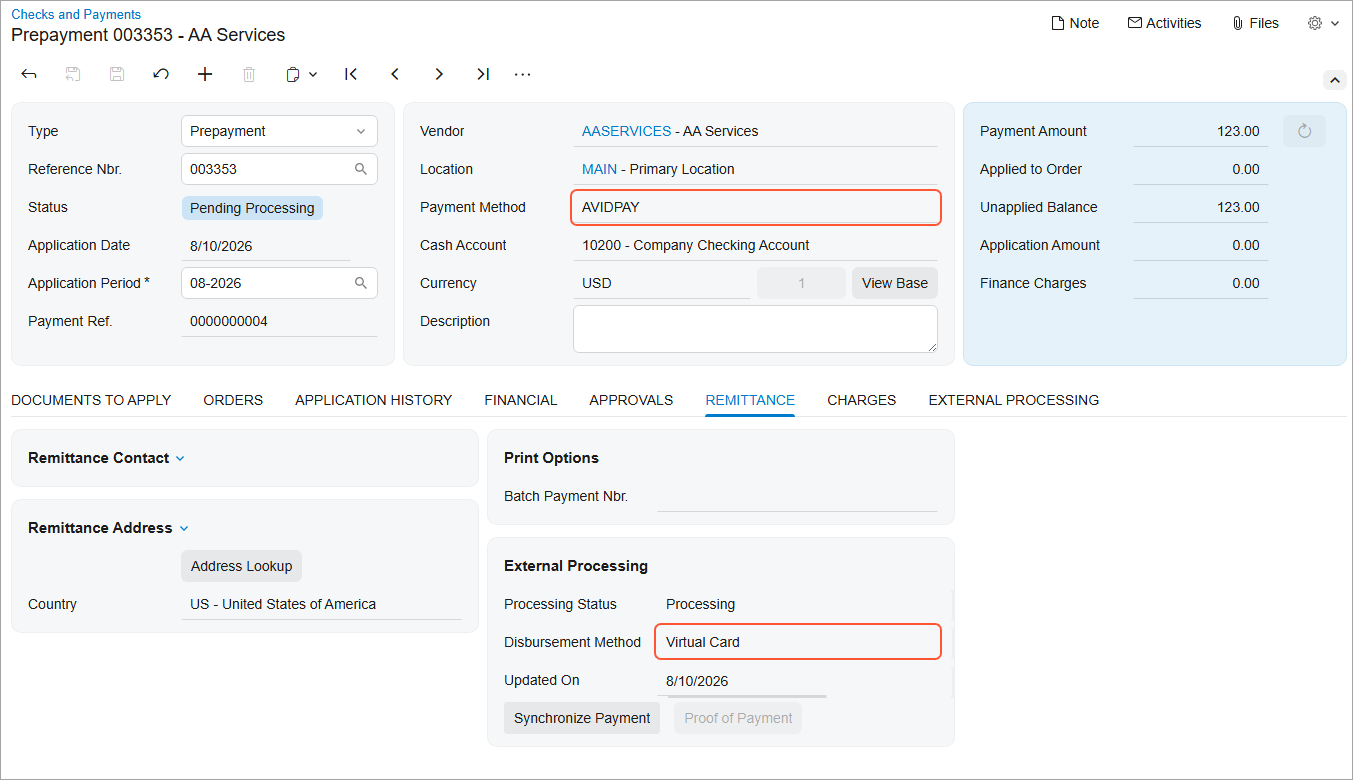
Prepare and send vendor payments through AvidXchange directly from Acumatica. AP Payments powered by AvidXchange delivers payments to U.S. vendors by virtual card, ACH, or check based on each vendor's payment preferences, eliminating the need to maintain vendor bank details in Acumatica. Track payment progress, synchronize status updates individually or in bulk, download proof of payment, and request that eligible payments be stopped—all while keeping payment activity connected to your accounts payable records.
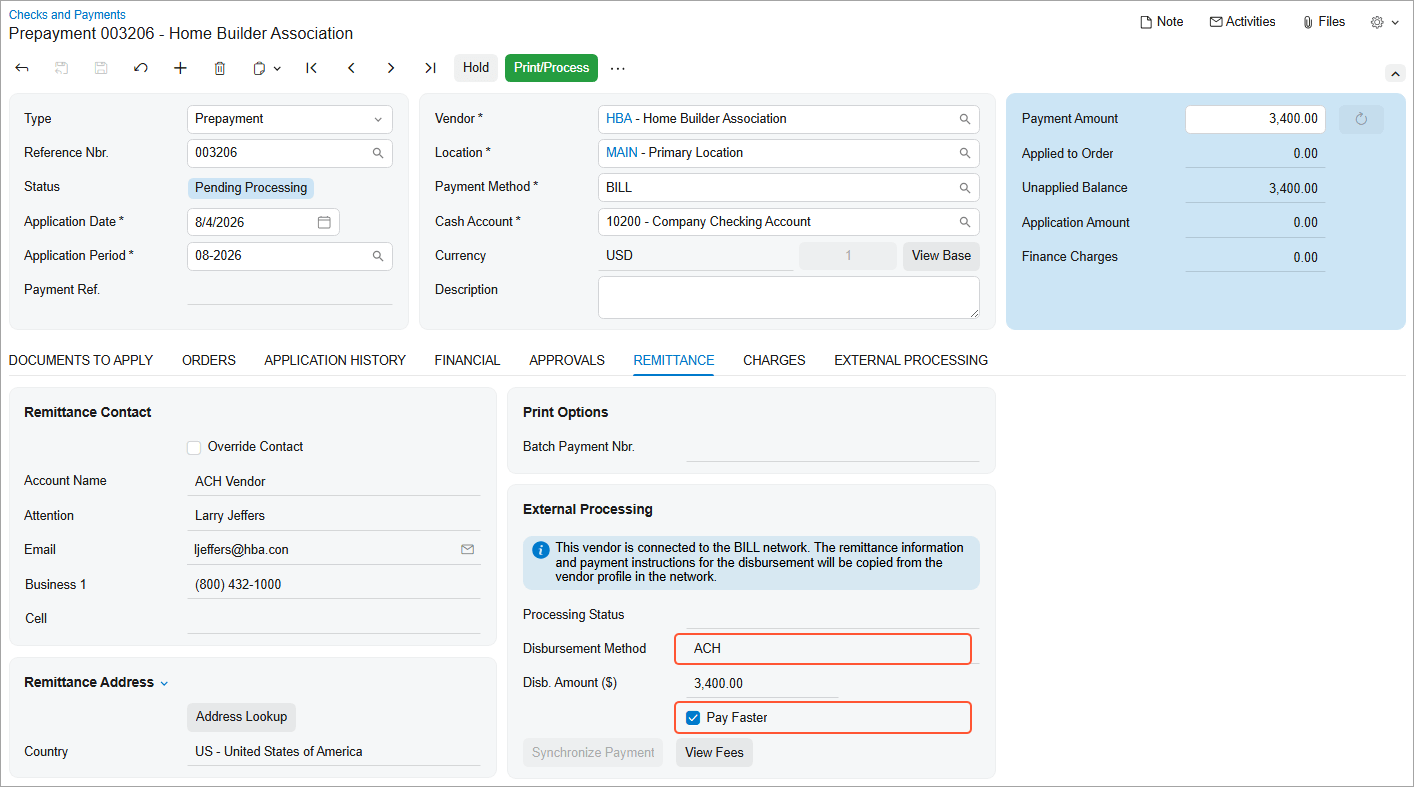
BILL's Pay Faster service now supports ACH payments in addition to checks, so U.S. vendor payments can reach their destination sooner when timing matters. For vendors outside the United States, you can now prepare and process payments on bills in foreign currencies — not just USD — with exchange-rate and disbursement details shown right in the payment.
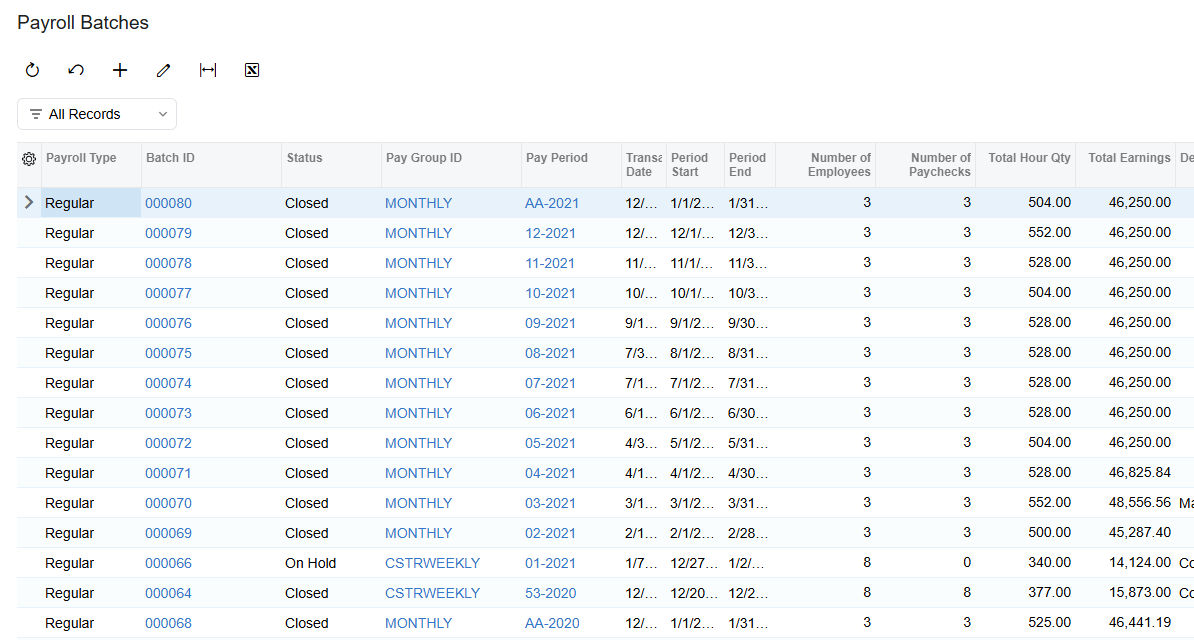
Complete payroll processing sooner with faster paycheck calculations and batch releases. Performance improvements reduce processing time by up to 63%, with organizations processing hundreds of paychecks seeing the greatest benefits. Payroll teams can reduce wait times and complete large payroll runs faster without changing their existing workflows or compromising calculation accuracy.
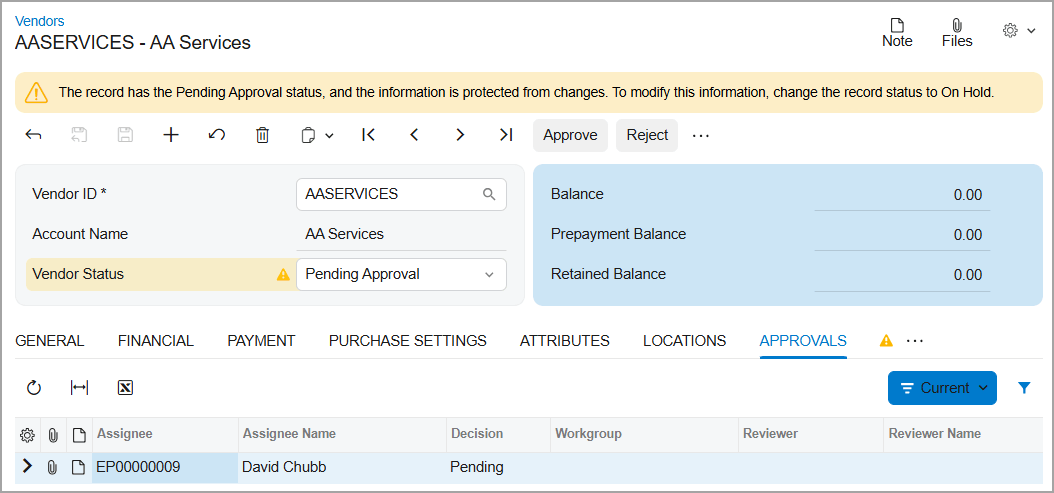
Configure an approval workflow for vendor creation and updates so new or changed vendor records stay unavailable for purchasing or AP documents until the required approvals are complete — keeping unverified vendor data out of your financial processes.
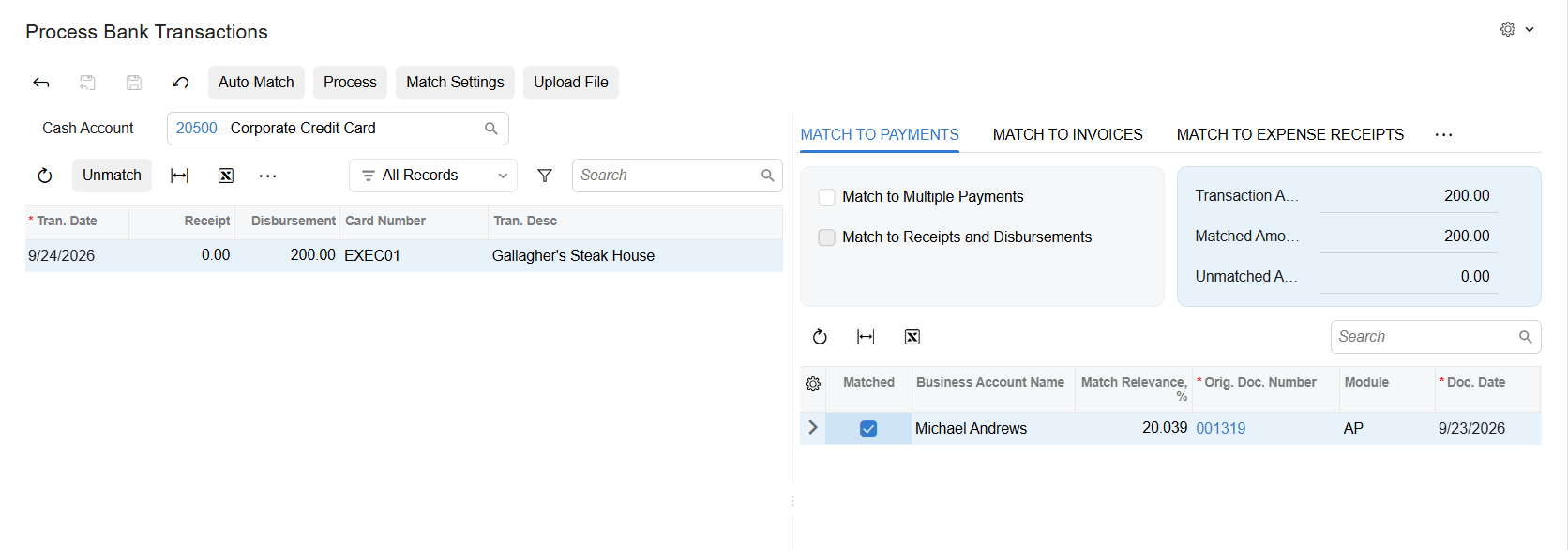
Every time you manually match a bank transaction to a document and confirm it, the system remembers the relationship between the cash account, the payee value from your bank, and the vendor or customer you matched it to. The next time that payee appears, the matching document gets a stronger match automatically — so the same manual work doesn't repeat itself month after month.
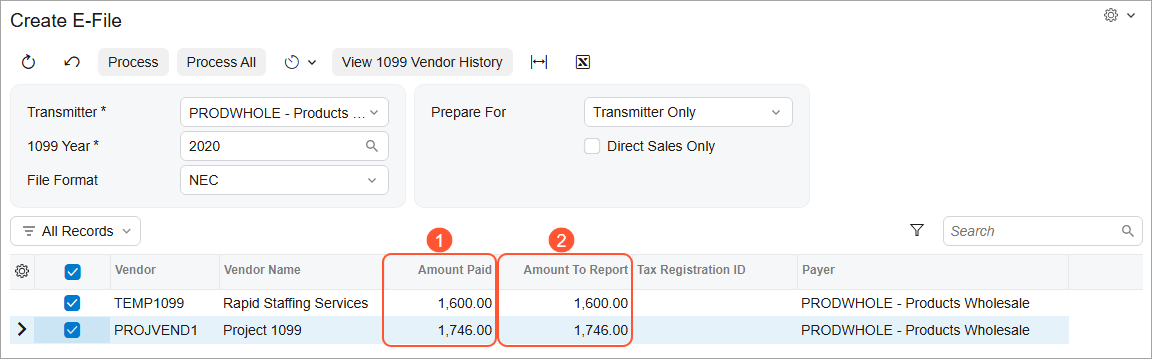
Prepare for the IRS transition from Filing Information Returns Electronically (FIRE) to the Information Returns Intake System (IRIS) for the 2027 filing season. Acumatica's Create E-File process now generates CSV files formatted for IRIS instead of FIRE, for both 1099-MISC and 1099-NEC, with new vendor and company fields required for IRIS filing.
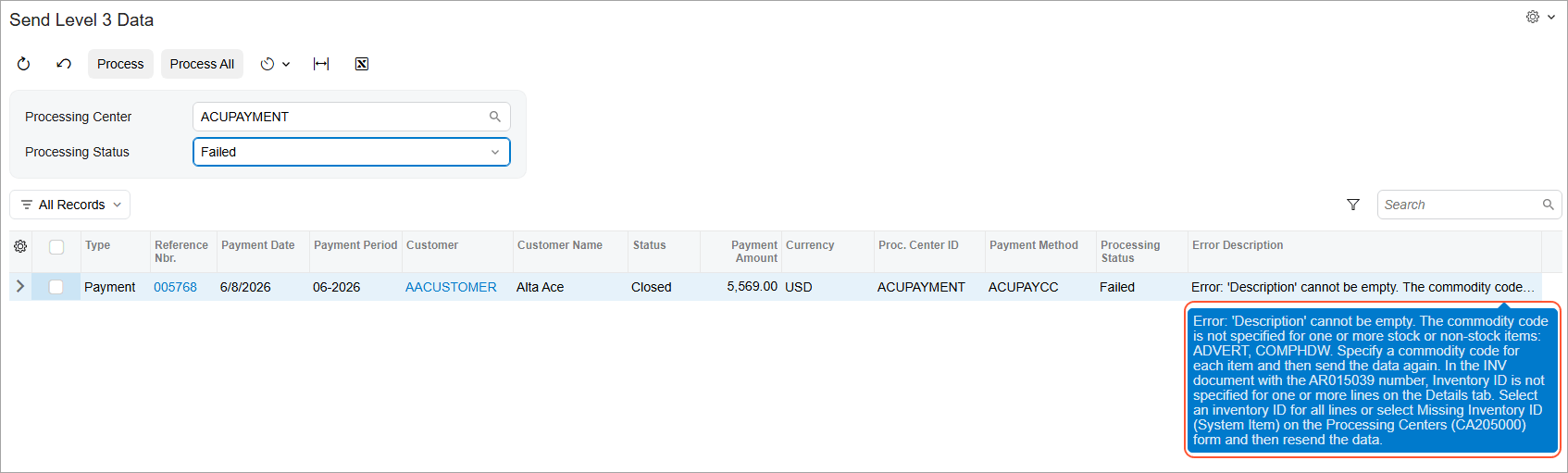
Enhancements to Level 3 card payment processing help you transmit more accurate payment data, preserve fee discounts, and handle more real-world scenarios — partial applications, discounts, negative lines, currency conversion, and pay-by-line processing — with clear, actionable errors when data is incomplete.
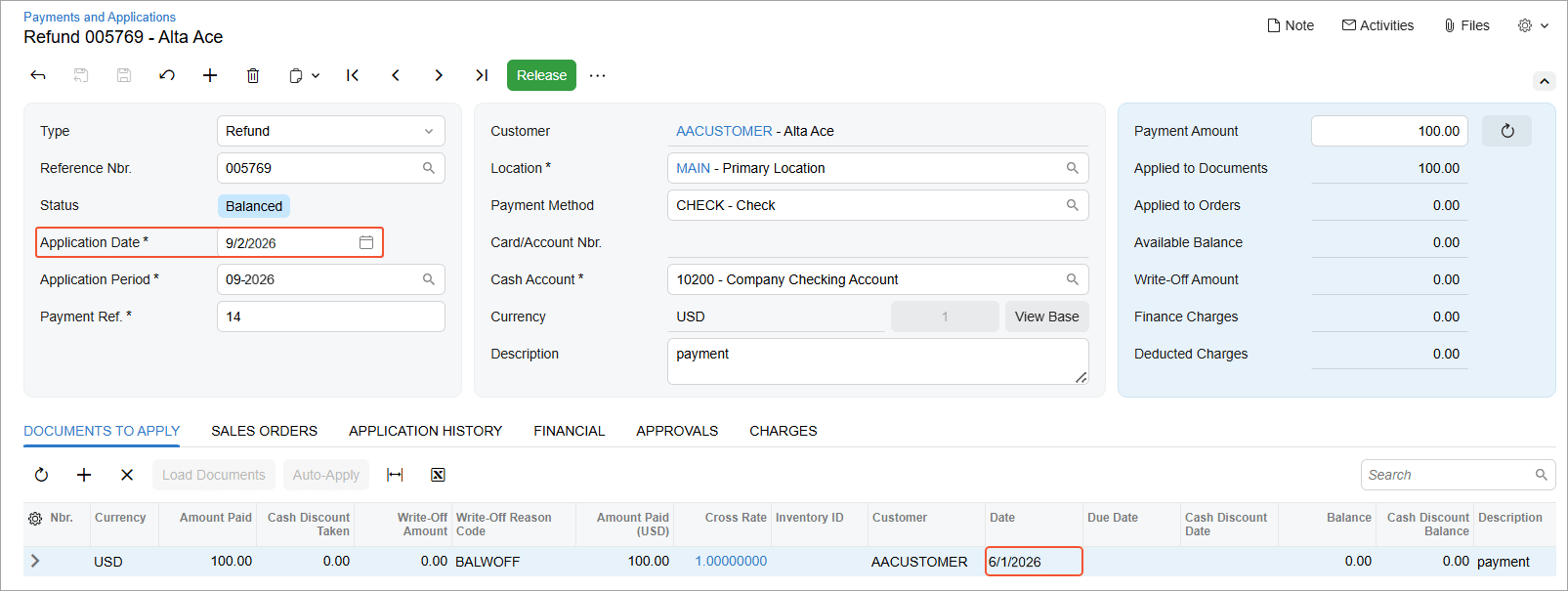
Process customer refunds even when the original payment was released in an inactive, locked, or closed financial period. Acumatica automatically assigns the current business date and corresponding open financial period to the refund, eliminating the need to reopen the original period while maintaining established period controls.
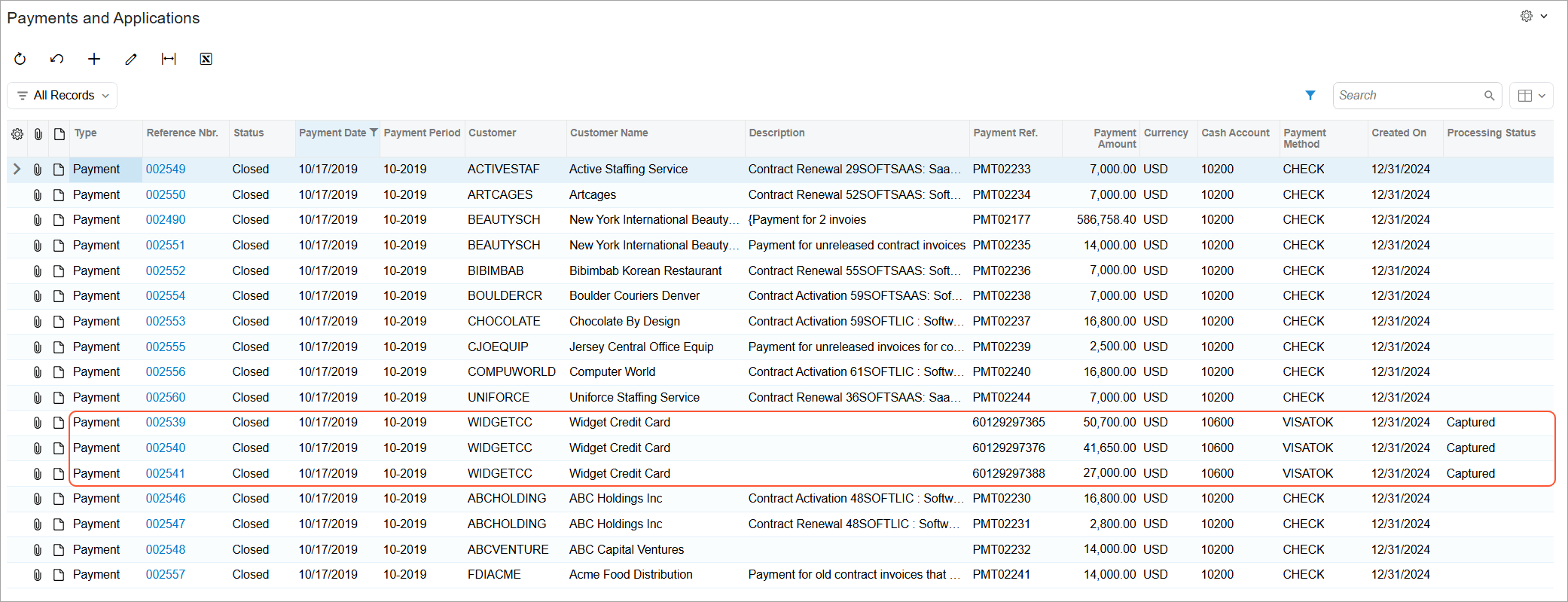
Monitor and act on credit card and ACH payment statuses across Acumatica. Because processing status is now stored with each payment, teams can use it to filter Generic Inquiries and reports or trigger business events when a payment reaches a specific status. New expiration warnings also flag pre-authorized payments that need attention, helping teams identify exceptions earlier, automate follow-up, and keep payments moving.
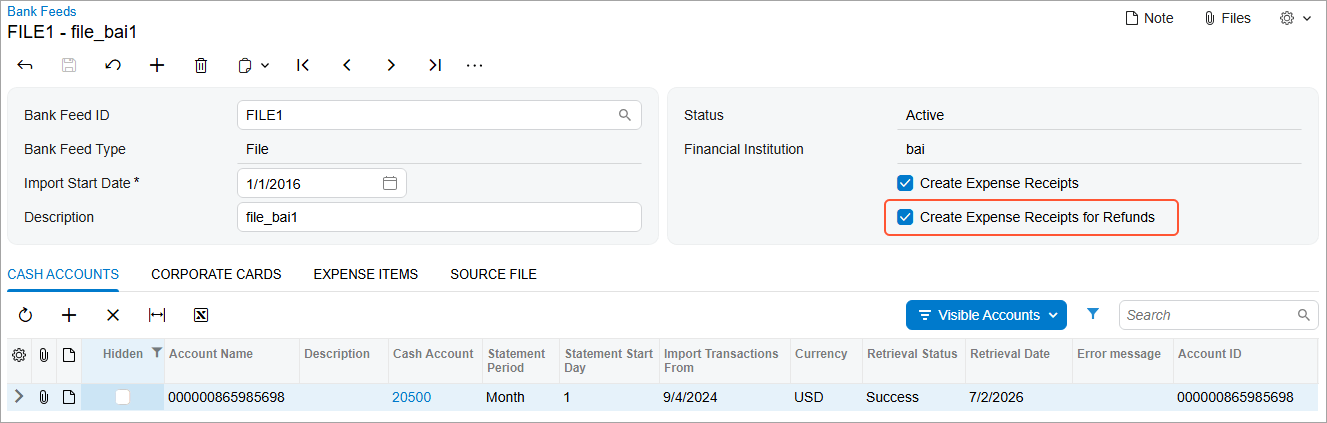
When a corporate card transaction comes through as a refund or return, Acumatica can now create the corresponding expense receipt automatically, the same way it already handles regular charges — eliminating a manual step that used to precede every refund claim.
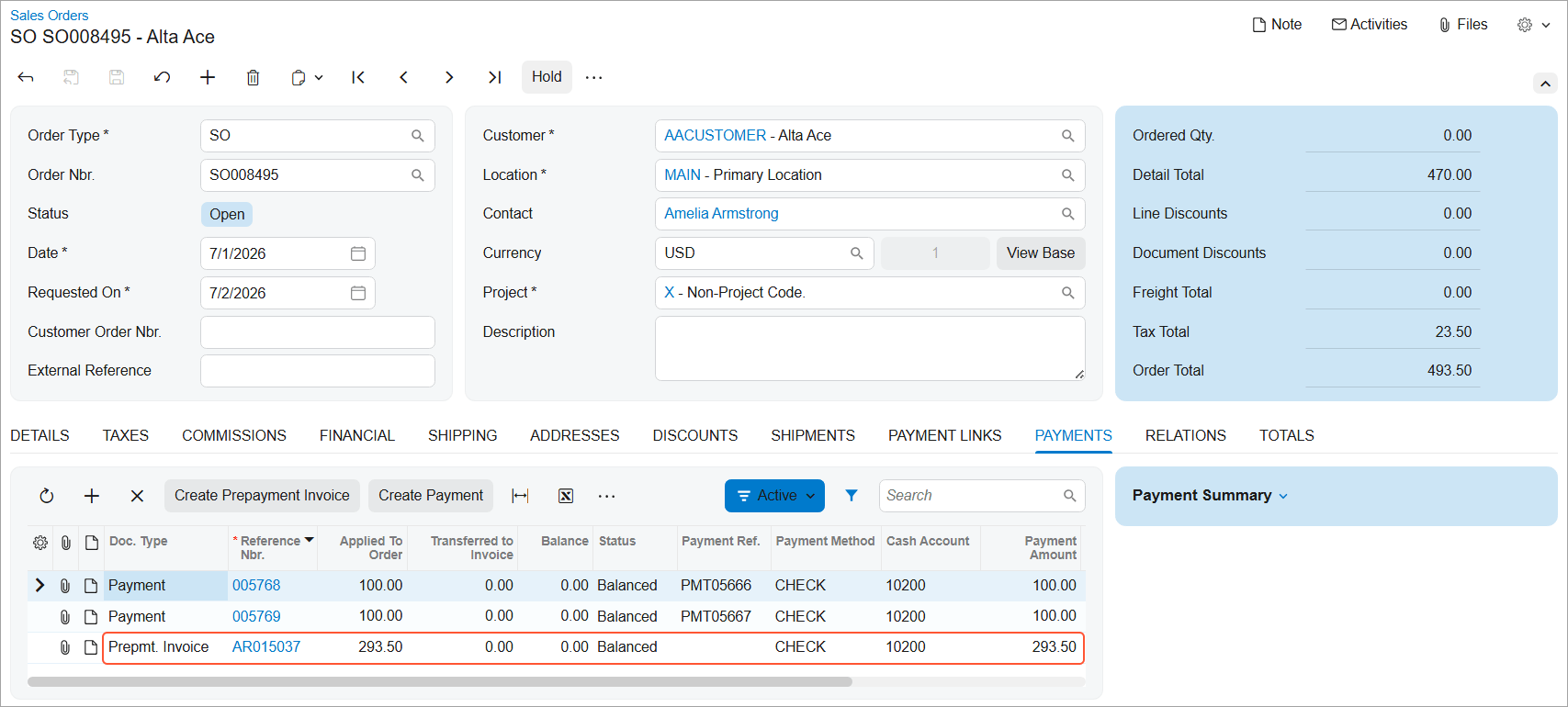
Create a prepayment invoice for a sales order that already has a payment or prepayment applied — one imported from an external system — and automatically link that payment to the new invoice. This works for a single sales order or a full batch.
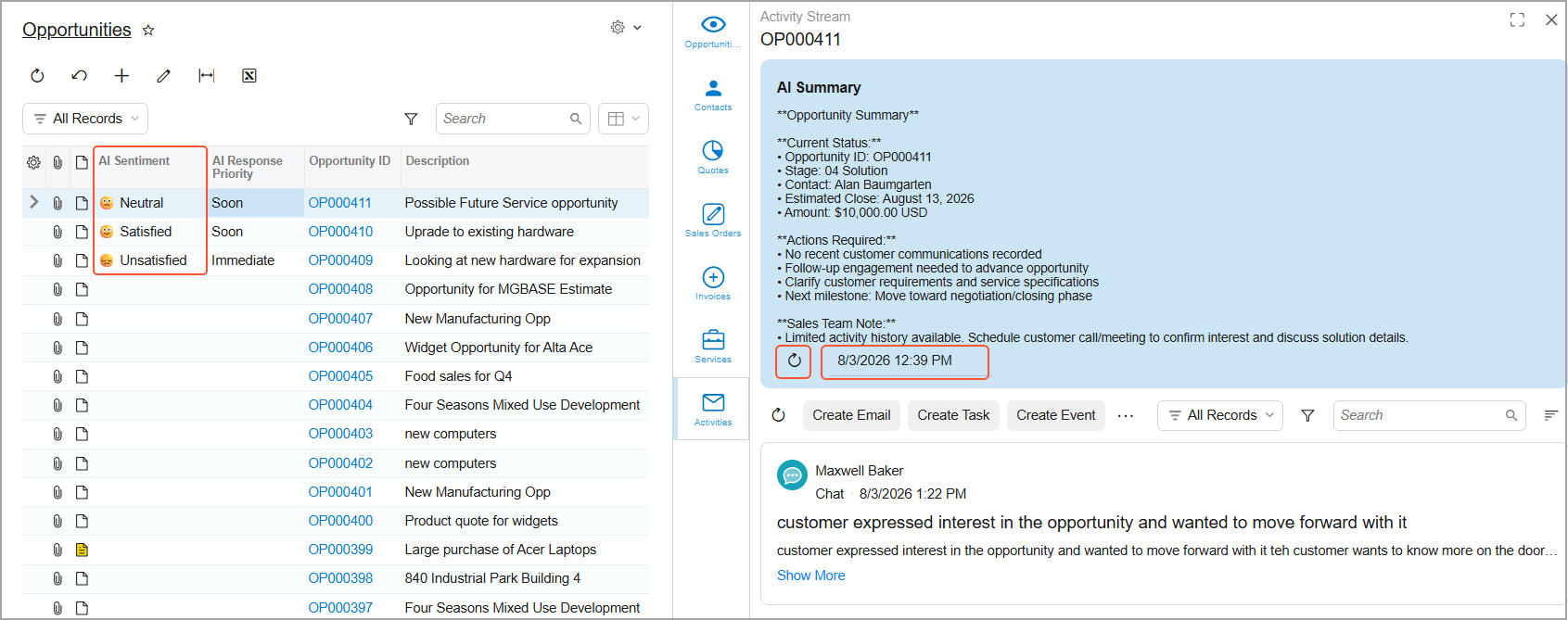
Spend less time reviewing emails and activities to decide where to respond first. AI highlights opportunities and cases that need attention, helping sales and service teams prioritize their work and respond more quickly. Open the Activity Stream to review customer sentiment, a summary of recent communications, suggested next steps, and a suggested reply—all in one place.
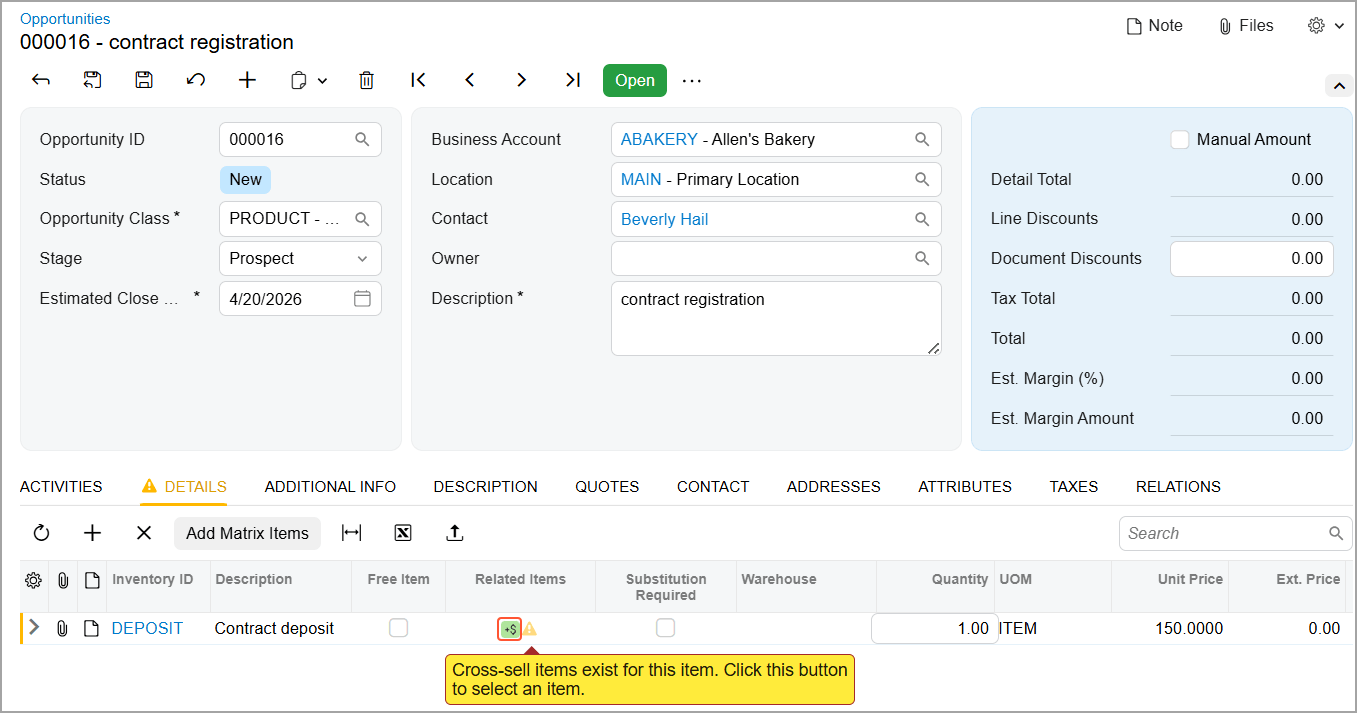
Offer customers relevant substitutes, higher-value upsells, complementary cross-sells, and other related products or services earlier in the sales process. Related-item suggestions, including ML-generated cross-sell and upsell recommendations, appear in opportunities, sales quotes, and project quotes, where representatives can review price, quantity, and availability and add items without leaving the workflow. When a related item is substituted or added, the Related Item History inquiry shows which document made the final change—so you can trace the sale back to its origin.
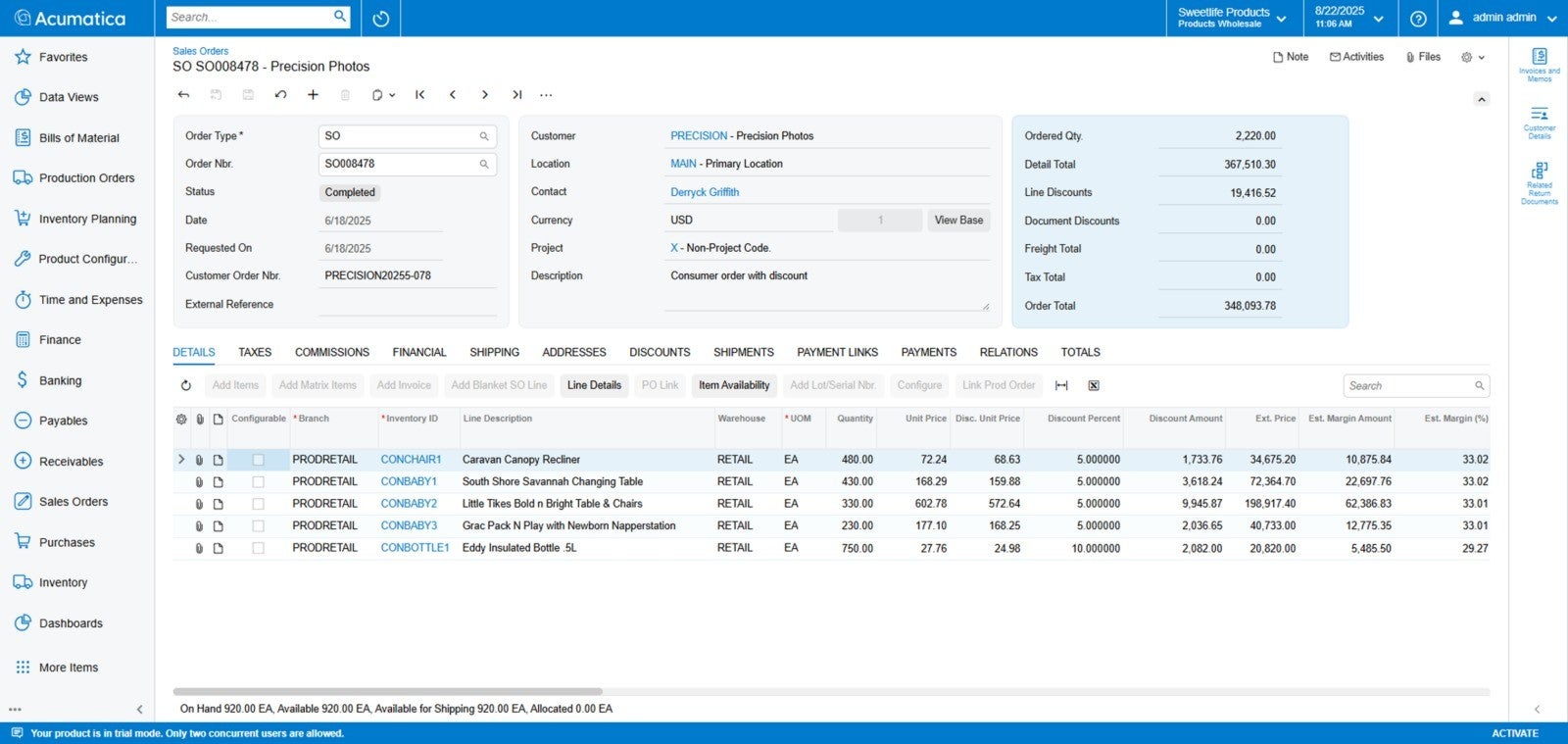
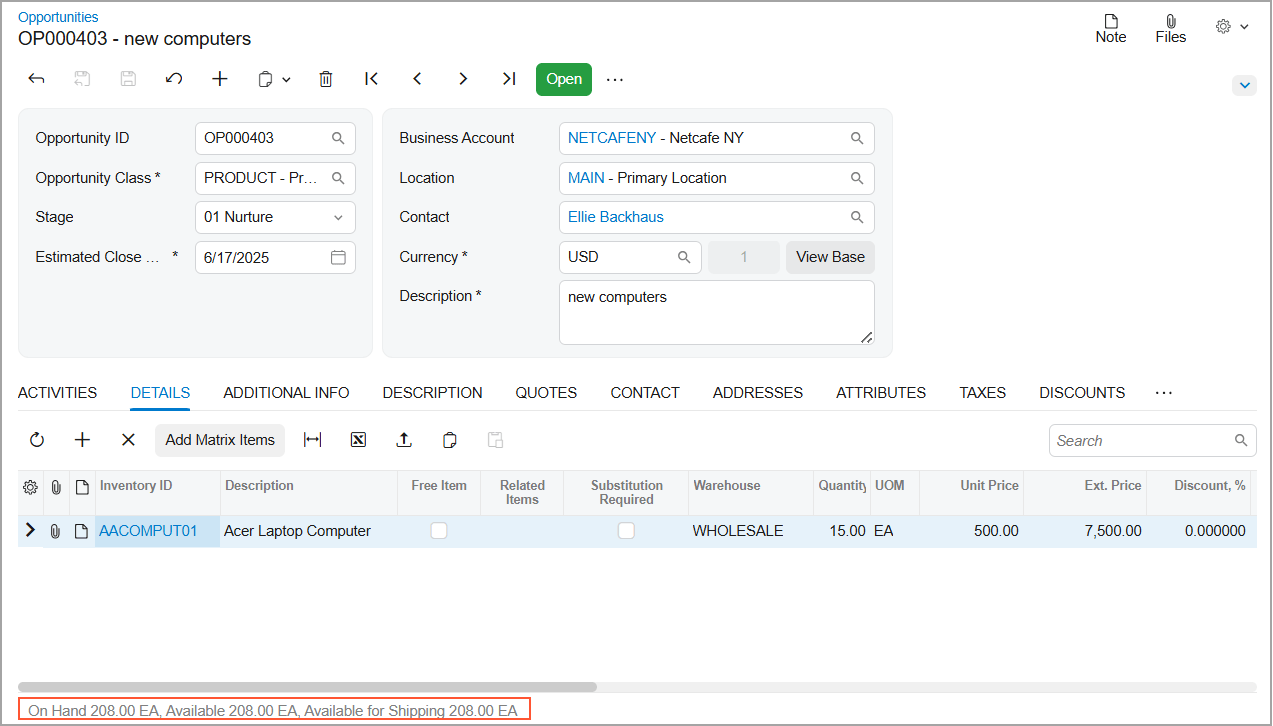
Answer customer availability questions faster with real-time inventory information displayed directly in opportunities and sales quotes, just like sales orders. View On Hand, Available, and Available for Shipping quantities for stock items in the table footer, reducing manual checks and helping you make confident pricing and commitment decisions without interrupting the sales workflow.
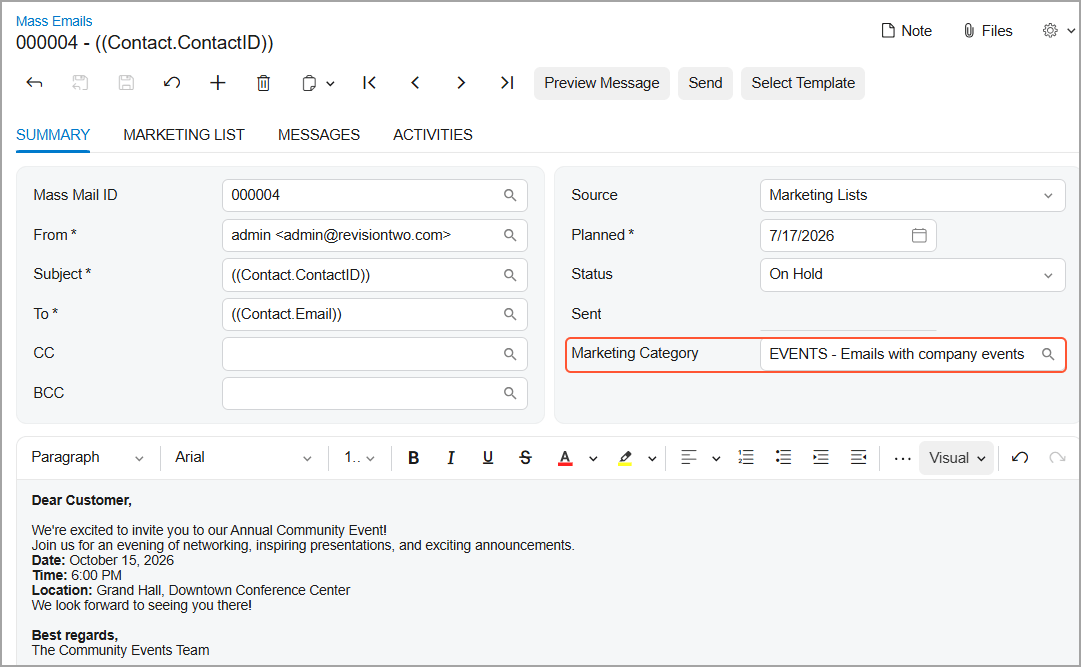
Organize mass emails into marketing categories, and CRM will automatically manage recipient preferences for each one. Link categories to SendGrid unsubscribe groups so Acumatica can reflect subscription changes in CRM records and apply preferences automatically during mass email processing. Recipients can unsubscribe from one category while continuing to receive others — helping teams send more relevant communications, reduce manual preference management, and support email compliance.
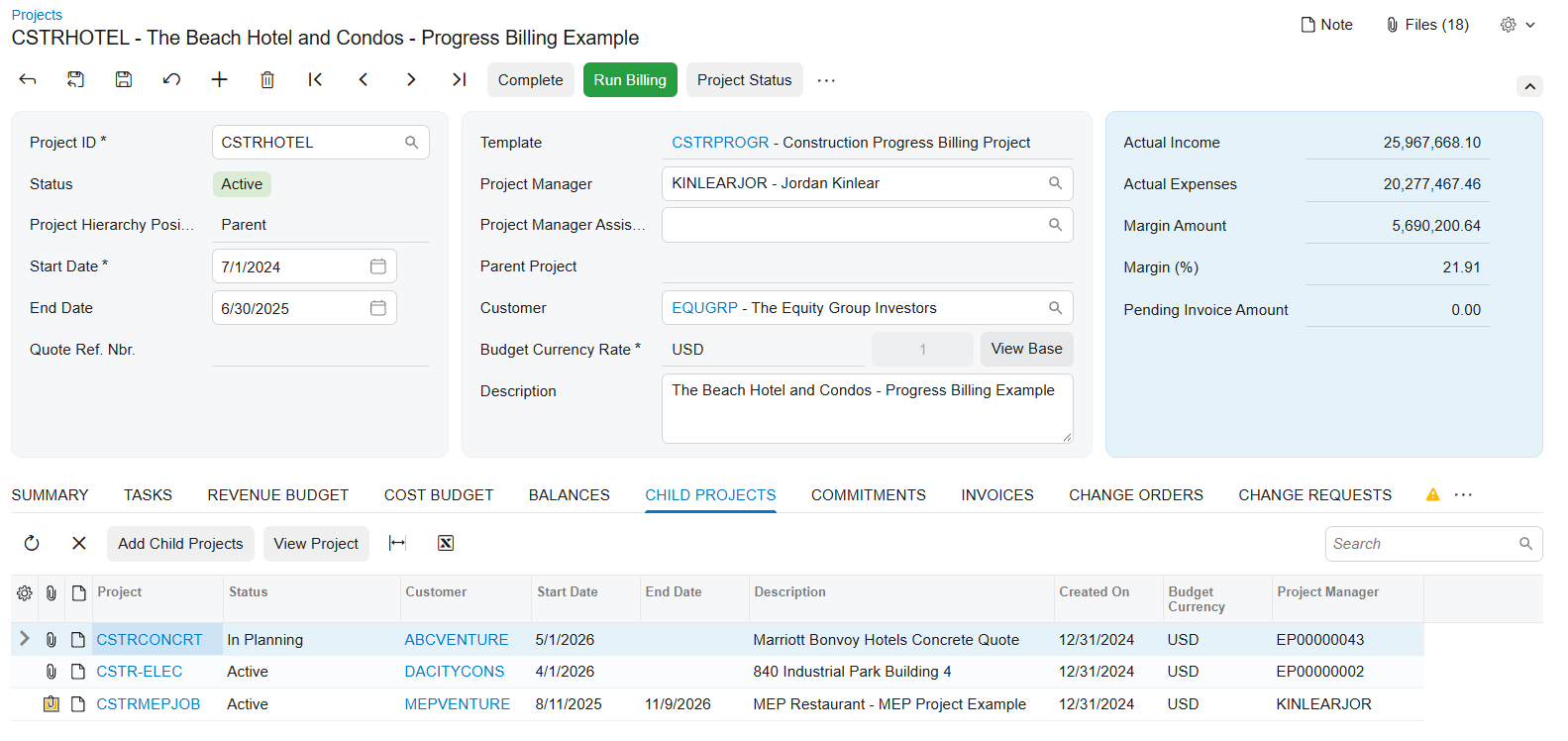
Link related projects, phases, work scopes, buildings, sites, or internal cost centers, in a parent-child hierarchy. Bill the customer for all child projects' work through the parent, or consolidate child data in the parent for reporting while billing each child's customer separately. Either way, roll up selected transactions to the parent without creating duplicates.
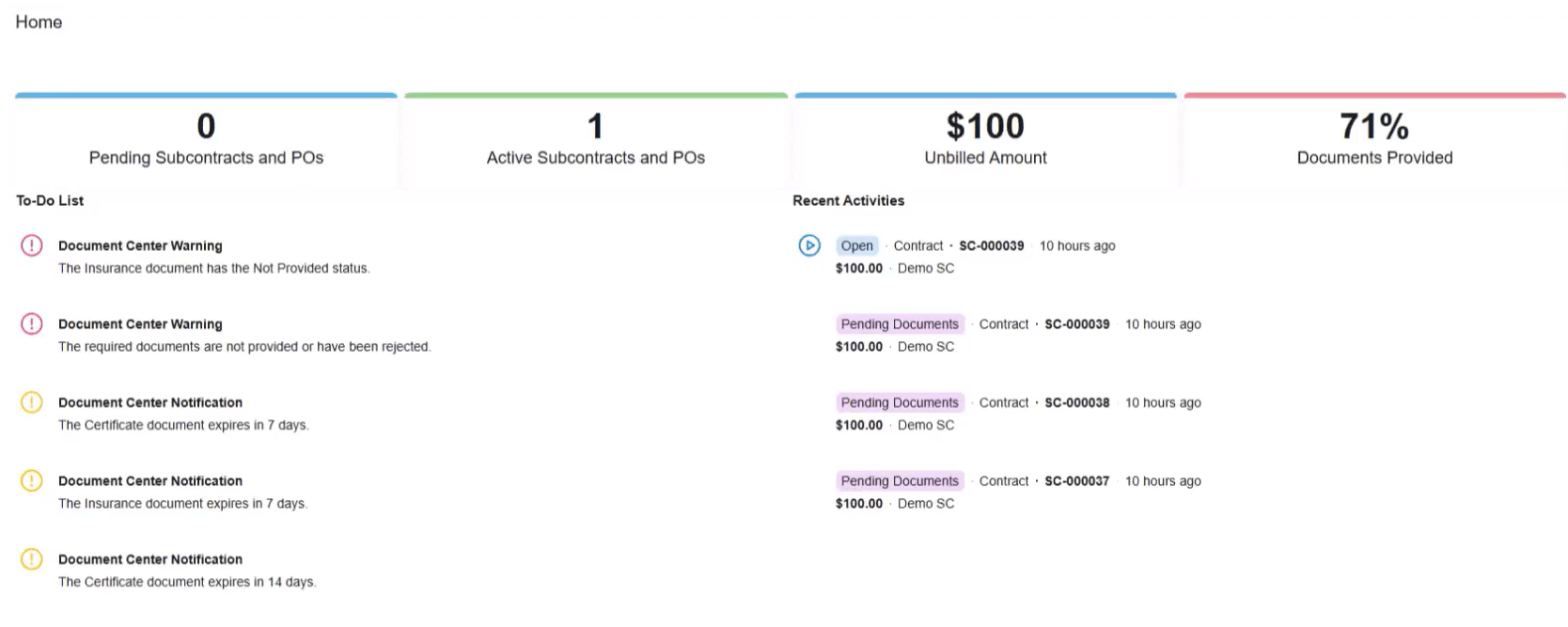
The Construction Exchange gives vendors and subcontractors controlled self-service access to project-related information. They can review subcontracts and purchase orders, submitting documents, and monitoring processing status, without a phone call or email to your project team.
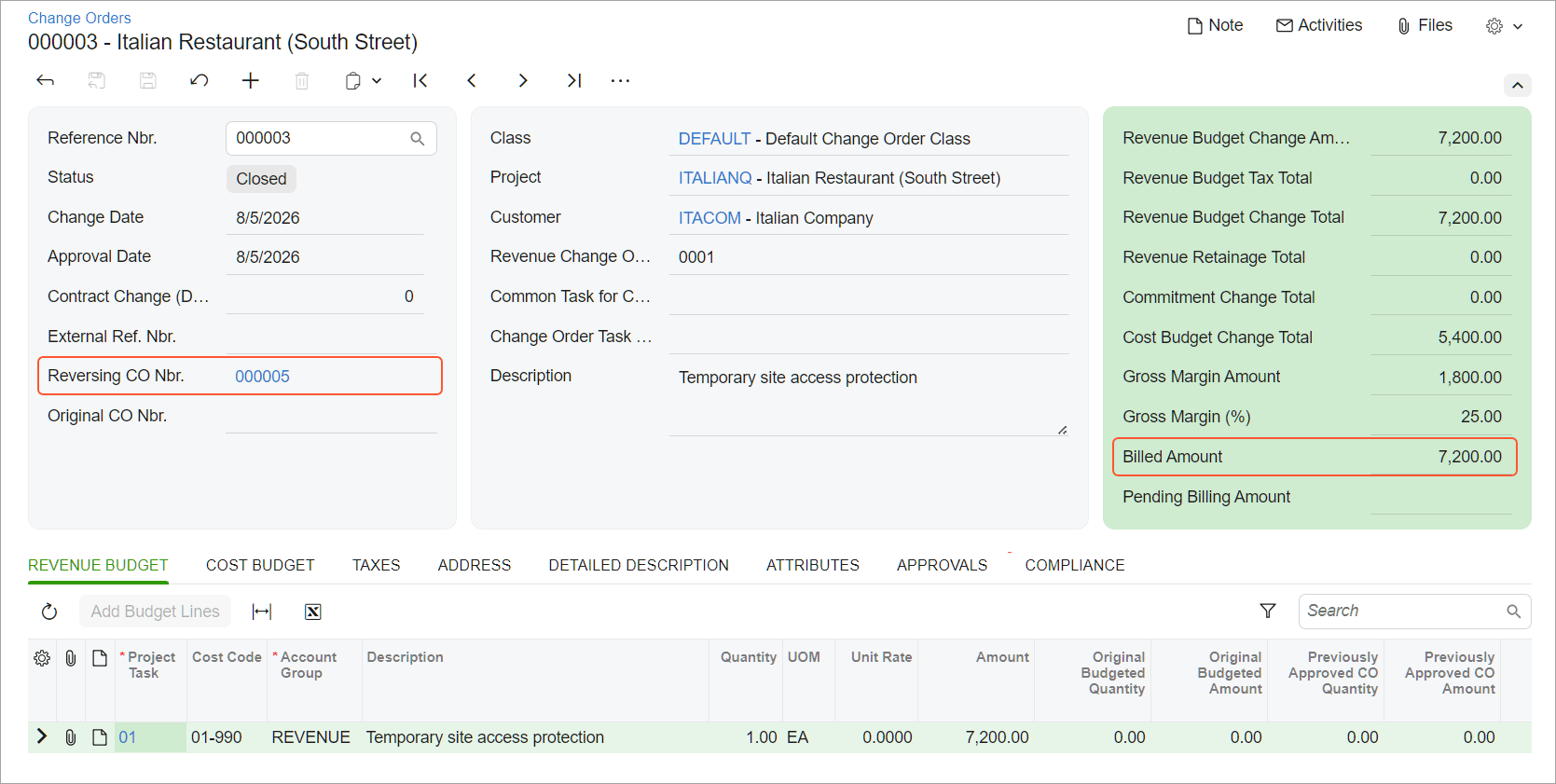
A cluster of enhancements gives you tighter control over two-tier change management from estimate to final billing. Choose whether change request pricing comes from unit cost and markups or from sales prices and price books. Identify affected purchase orders and subcontracts earlier by attaching existing commitments directly to a change request. See a complete tax breakdown for a project change before the change order is even created. And track exactly how much of a change order has been billed versus what's still pending, even when the same revenue budget line spans multiple change orders.
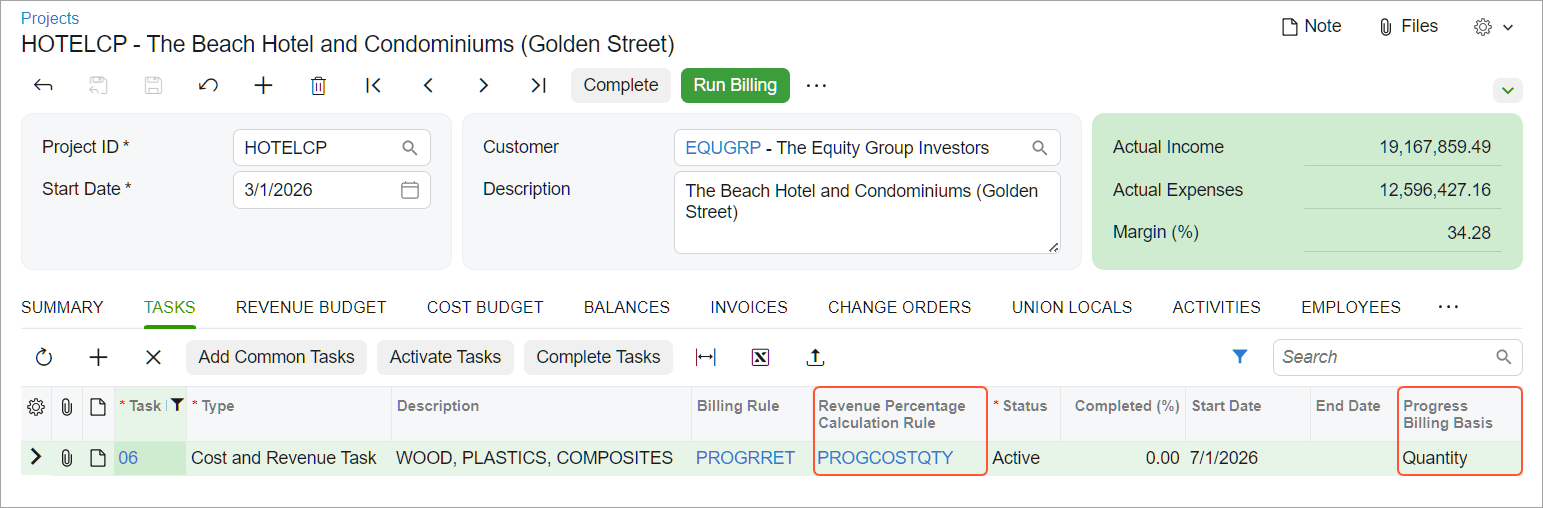
Record completed quantities for revenue budget lines in progress worksheets, and let the system calculate a recommended completion percentage from either the quantity of work completed for the customer or the quantities used to perform the work. Review revenue and cost progress side by side on the Project Progress Report.
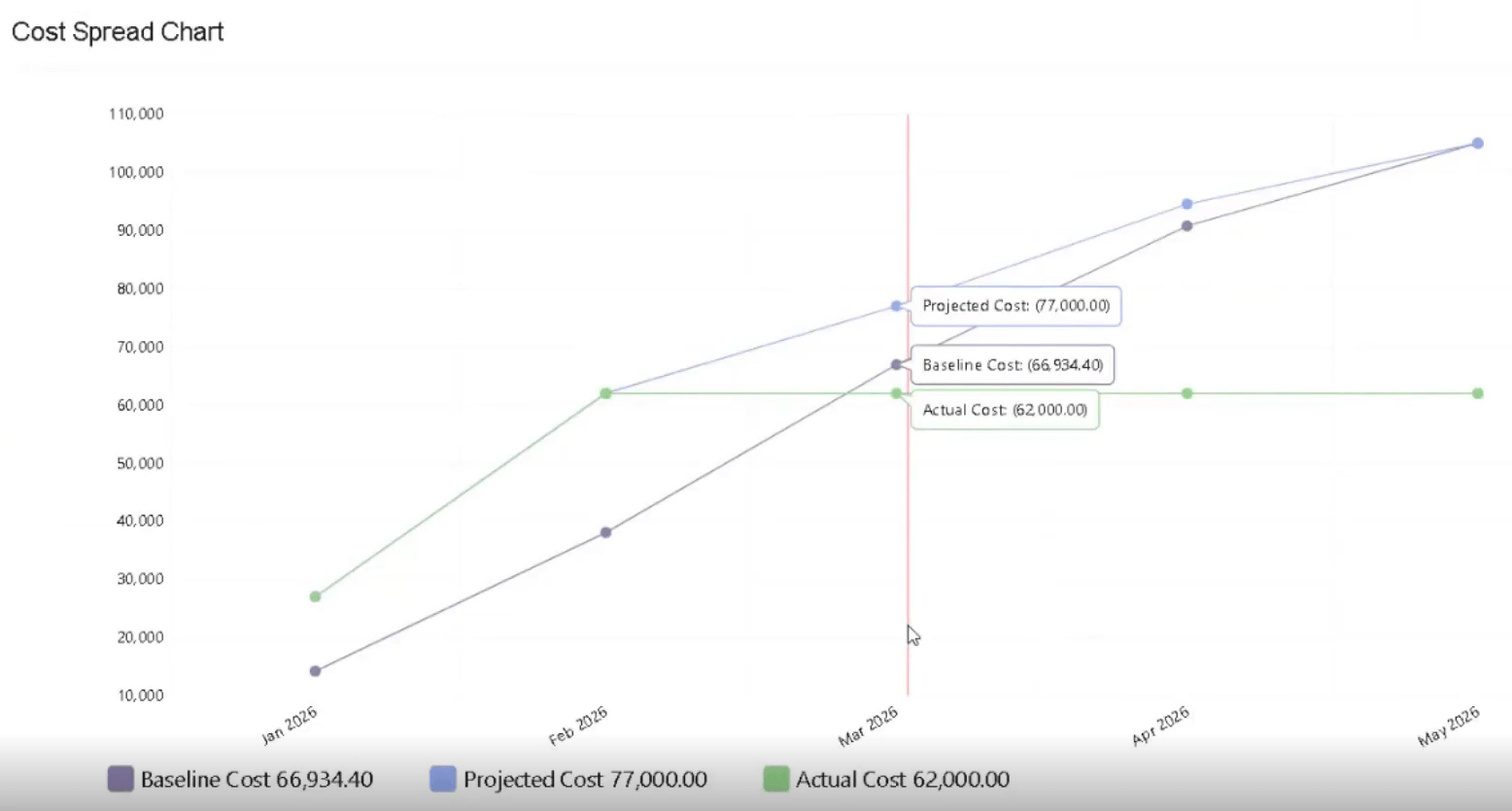
Construction spending rarely follows a straight line. Spread projected costs across your project timeline using a front-loaded, back-loaded, bell, or linear S-curve, then compare baseline, projected, and actual costs month by month, giving project managers and foremen a clearer view of what's coming.
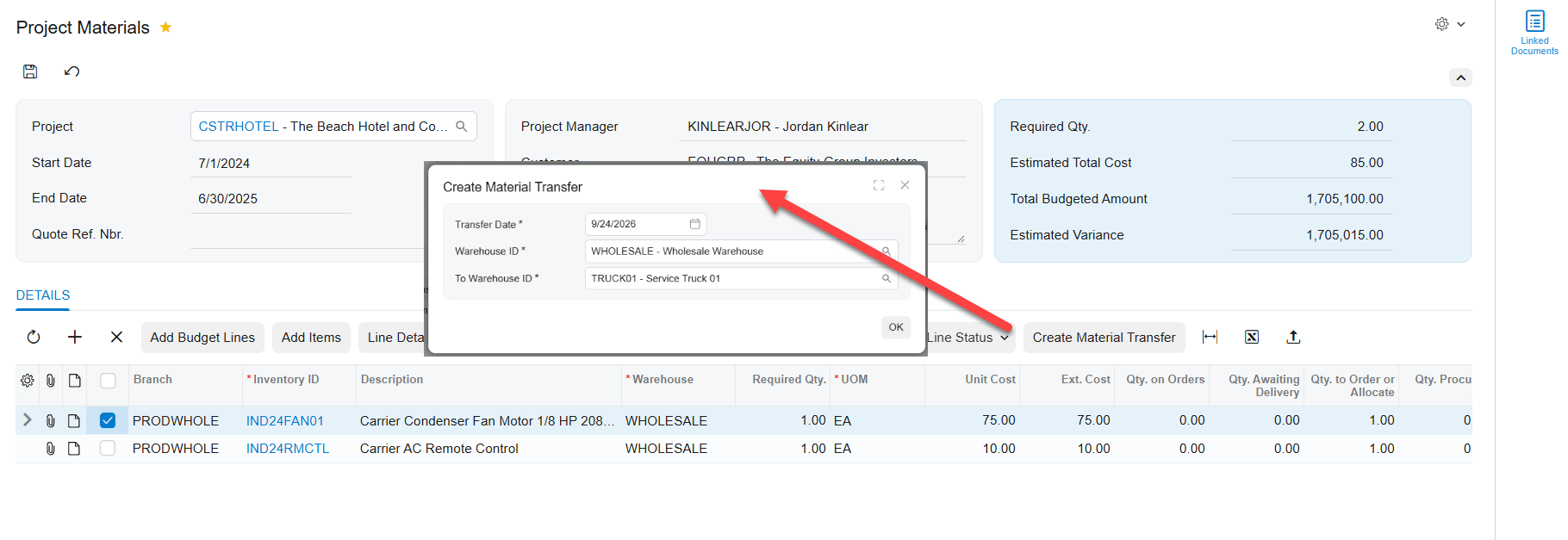
Create material transfers straight from your project materials list to move goods to the right warehouse or location before work begins. Project, task, cost code, and inventory source carry forward automatically, and you can process transfers through your standard warehouse workflow.
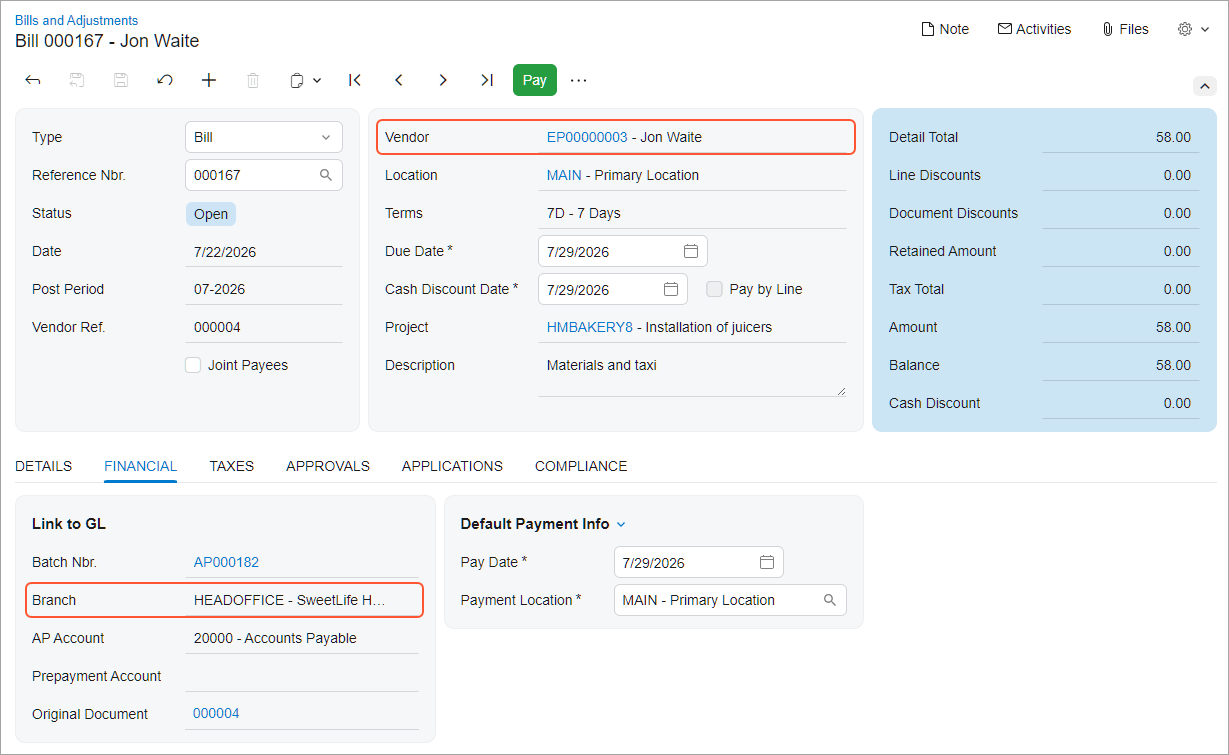
Submit expenses for a project in another branch, but make sure the cost lands on the project's branch while the liability stays with the employee's branch. Keep project and GL transactions aligned to the correct project branch, and choose whether the system defaults the branch automatically, warns on a mismatch, or blocks the release. Time cards, time activities, and equipment time cards can now record project costs under the project's branch while keeping liabilities under the right employee or user branch
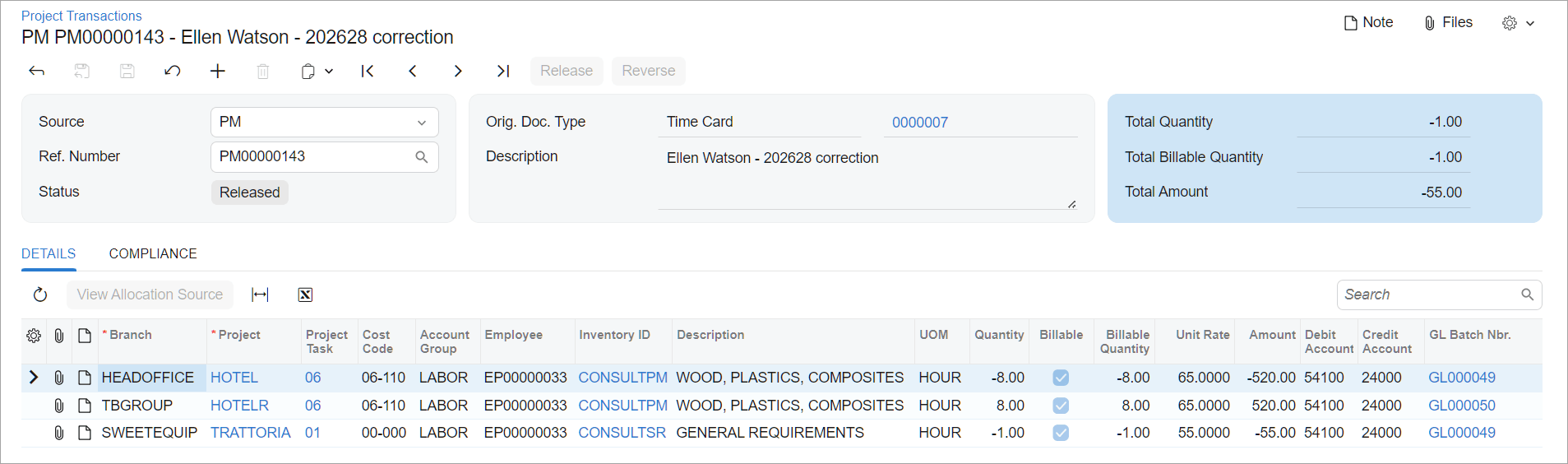
Move costs to the right project or task without reversing and recreating transactions by hand. Find eligible project transactions on the new Reclassify Project Transactions form and update their project, task, or accounting details in a few clicks.
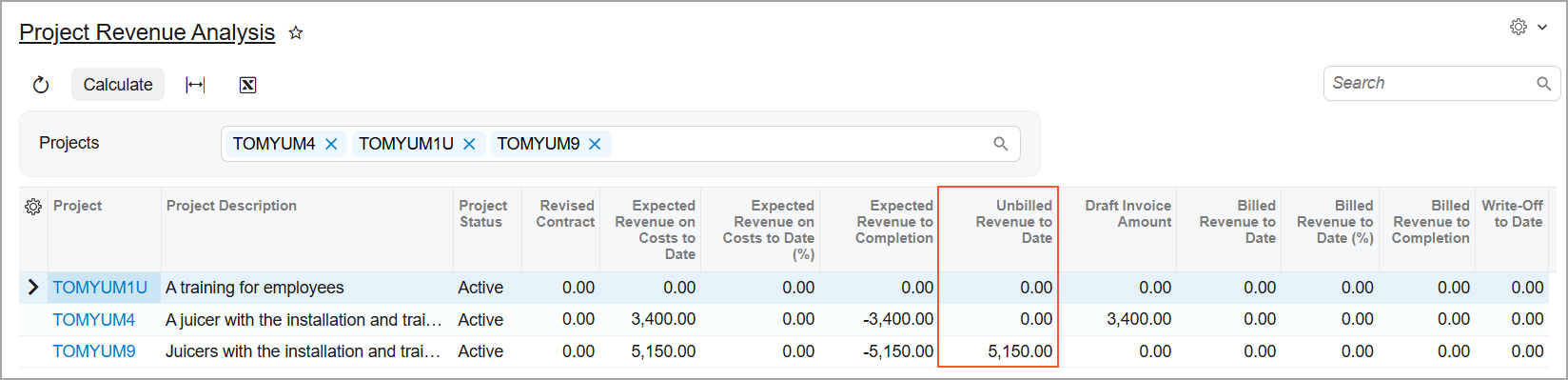
Get a fuller picture of unbilled and recognized project revenue. The Unbilled Project Revenue Aging and Project Revenue Analysis inquiries now include project tasks billed by a Progress Billing step, not just Time and Material, so you can analyze revenue across your whole project portfolio in one place.
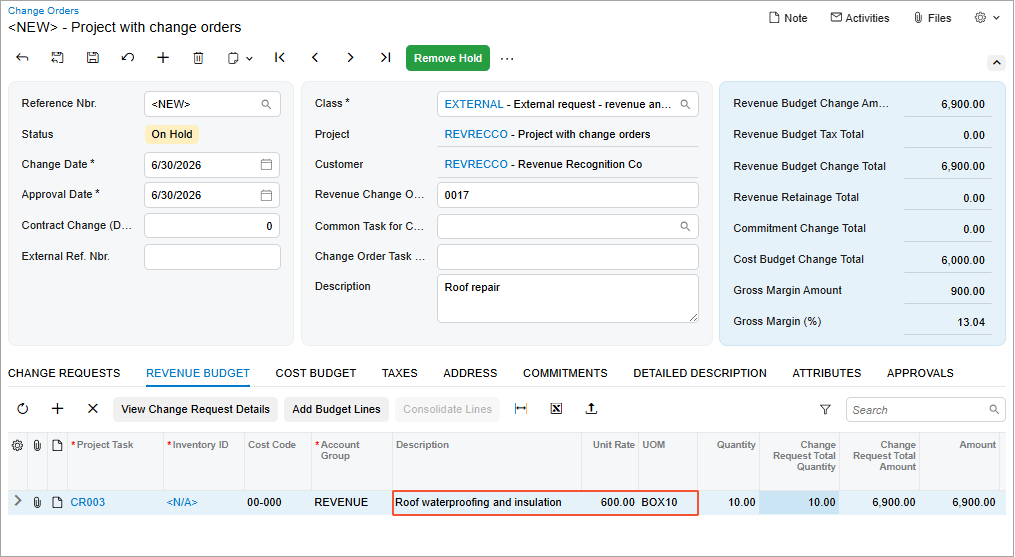
Configure the system to automatically copy the description, unit of measure, and unit rate to project budget lines from the change orders, change requests, or project transactions that created them — cutting out a repetitive manual step every time a budget line is created.
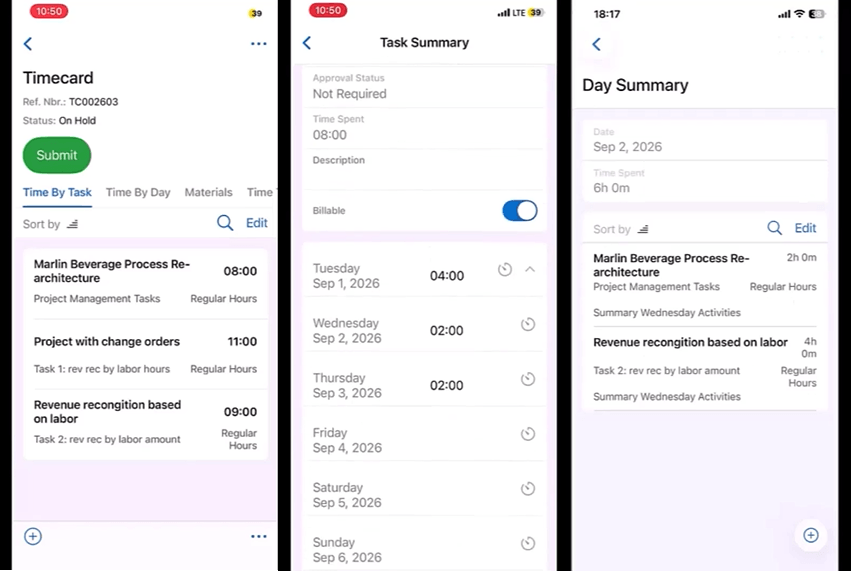
Enter time and material entries for any period, not just the default week, supporting forward-dated absences or skipping weeks. The mobile UI now displays running totals per day and per task.
DISTRIBUTION & COMMERCE
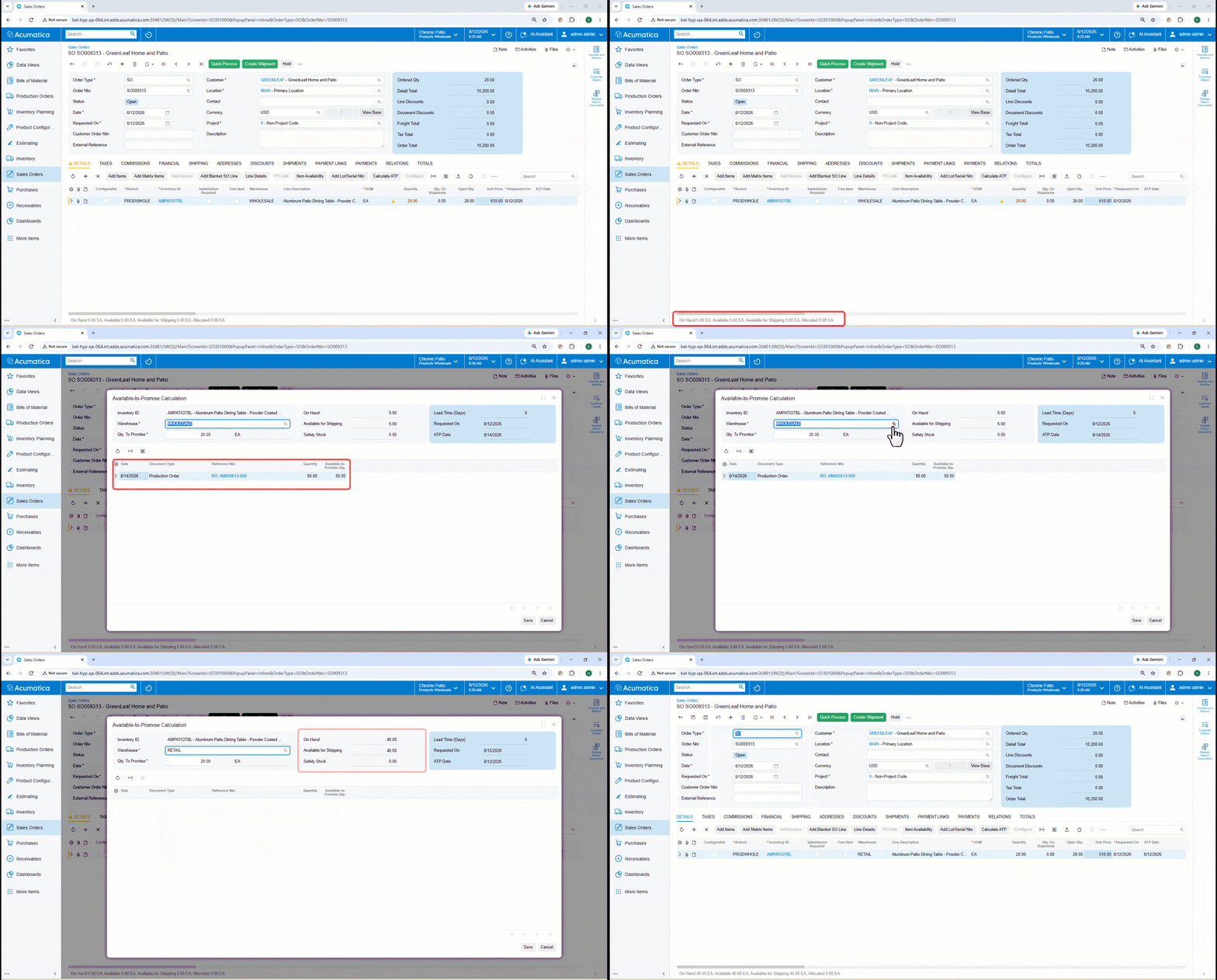
See projected supply and demand on the order line, identify the earliest date the full quantity can ship, and apply that date to the order during customer conversations. Item classes determine which availability calculation rule applies. That rule defines the supply and demand documents that drive Available-to-Promise (ATP) results, while order types drive safety stock treatment.
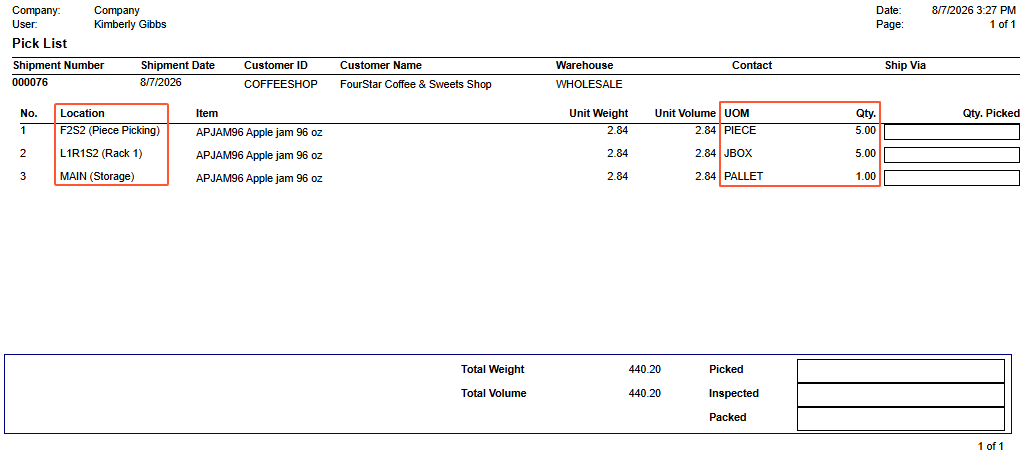
Choose unit-by-unit scanning, required manual entry, or a smart default that prepopulates the requested quantity, while pallet, case, and each quantities allocate automatically across bulk, case-pick, and fast-pick zones. Barcode, lot, serial, expiration, and short-pick validations stay fully in force.
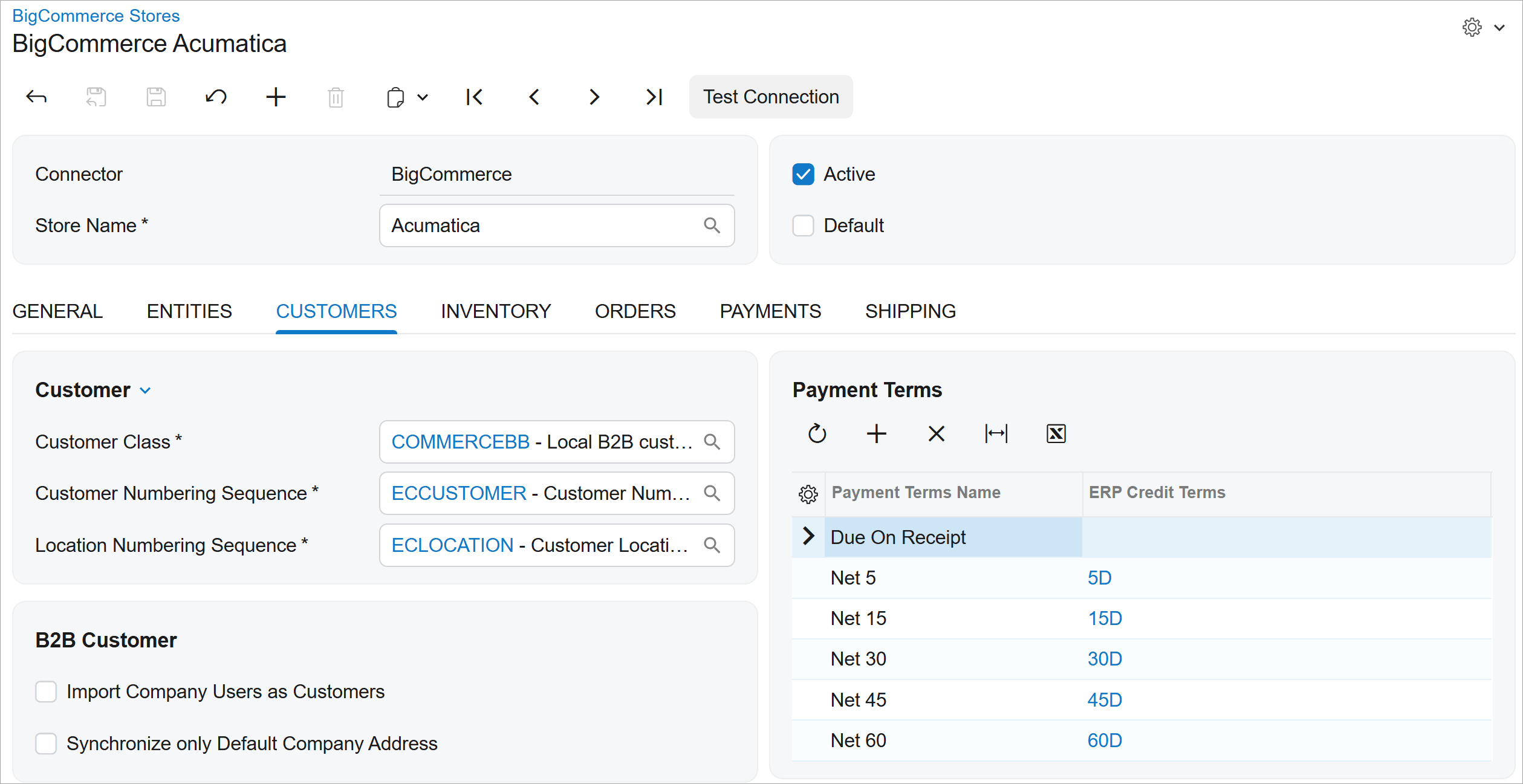
Export companies from Acumatica and keep addresses, users, hierarchies, customer groups, payment terms, and payment options aligned in both directions. Parent company and price class preprocessing ensure synchronized accounts land with the right relationships and commercial terms.
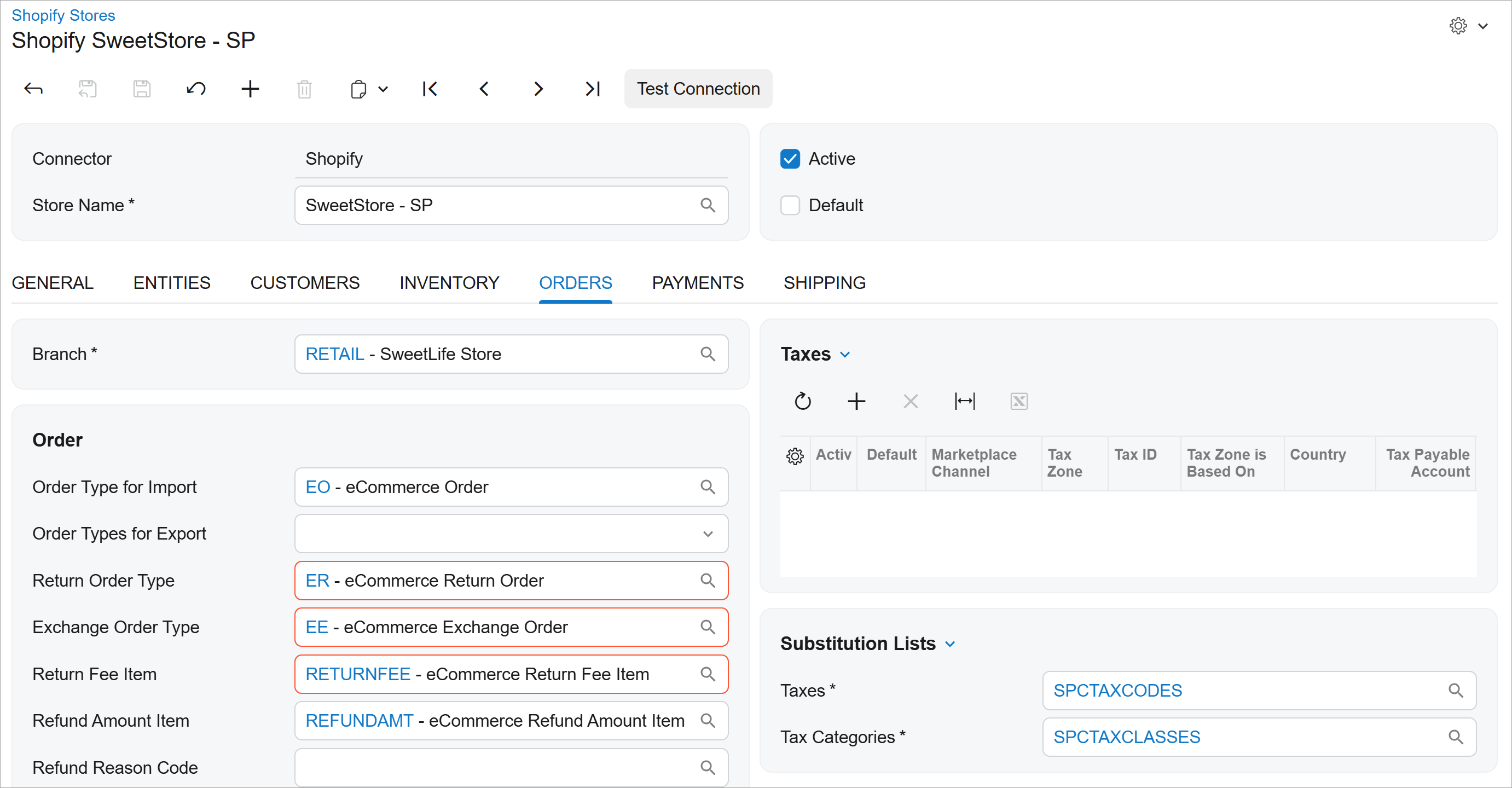
Shopify exchanges arrive as structured transactions with the original order reference intact, and returned and replacement items tracked separately, including pricing, discount, tax, and net balance impact. Full and partial exchanges are both supported, with restock and fulfillment updates flowing back to Shopify automatically.
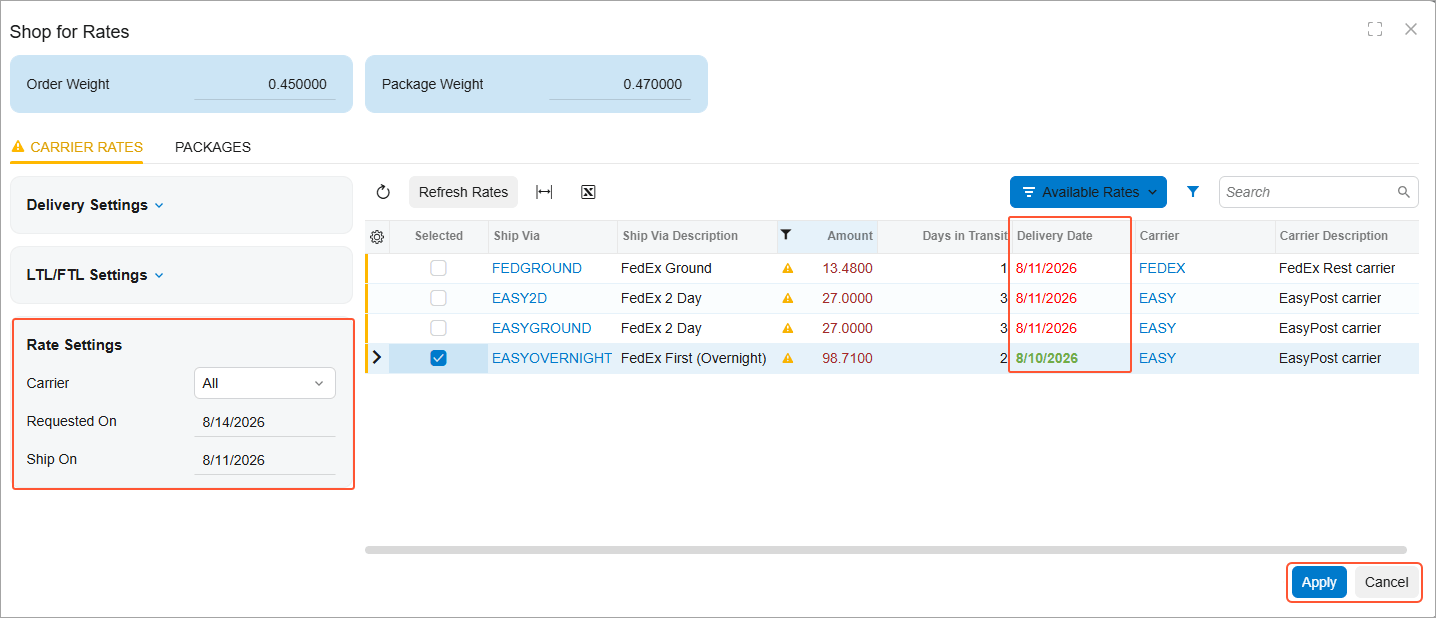
Rate shop with lowest-cost services first and clear signals for which ones meet the requested delivery date, leverage EasyPost to review suggested address corrections before labels are printed to validate low-cost carriers. Carrier requests wait for ERP validations to pass, and administrator-maintained service mappings keep apps current as requirements change.
FABRICATION
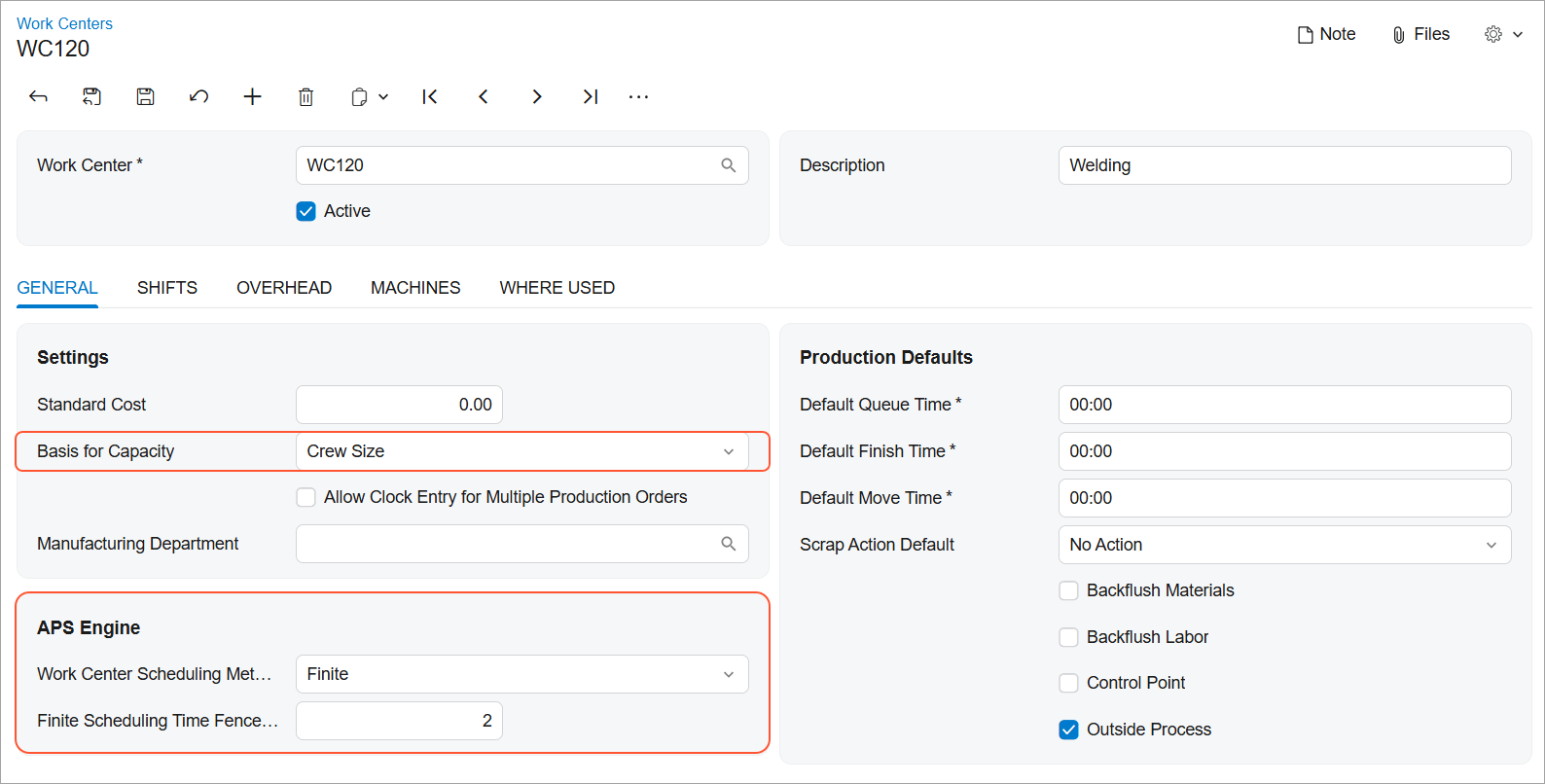
Schedule production orders forward or backward using finite or infinite logic, planning against the production calendars, shifts, breaks, holidays, and efficiencies your shop actually runs on. Updated operation dates, sequencing, and material impacts surface as you schedule, so you can see when a job will truly finish, commit to dates you can hold, keep constrained work centers from getting buried, and push more work through the same capacity. Rerun the schedule as priorities shift, spend less time rebuilding it in spreadsheets, and have more confidence when someone asks where their order stands.
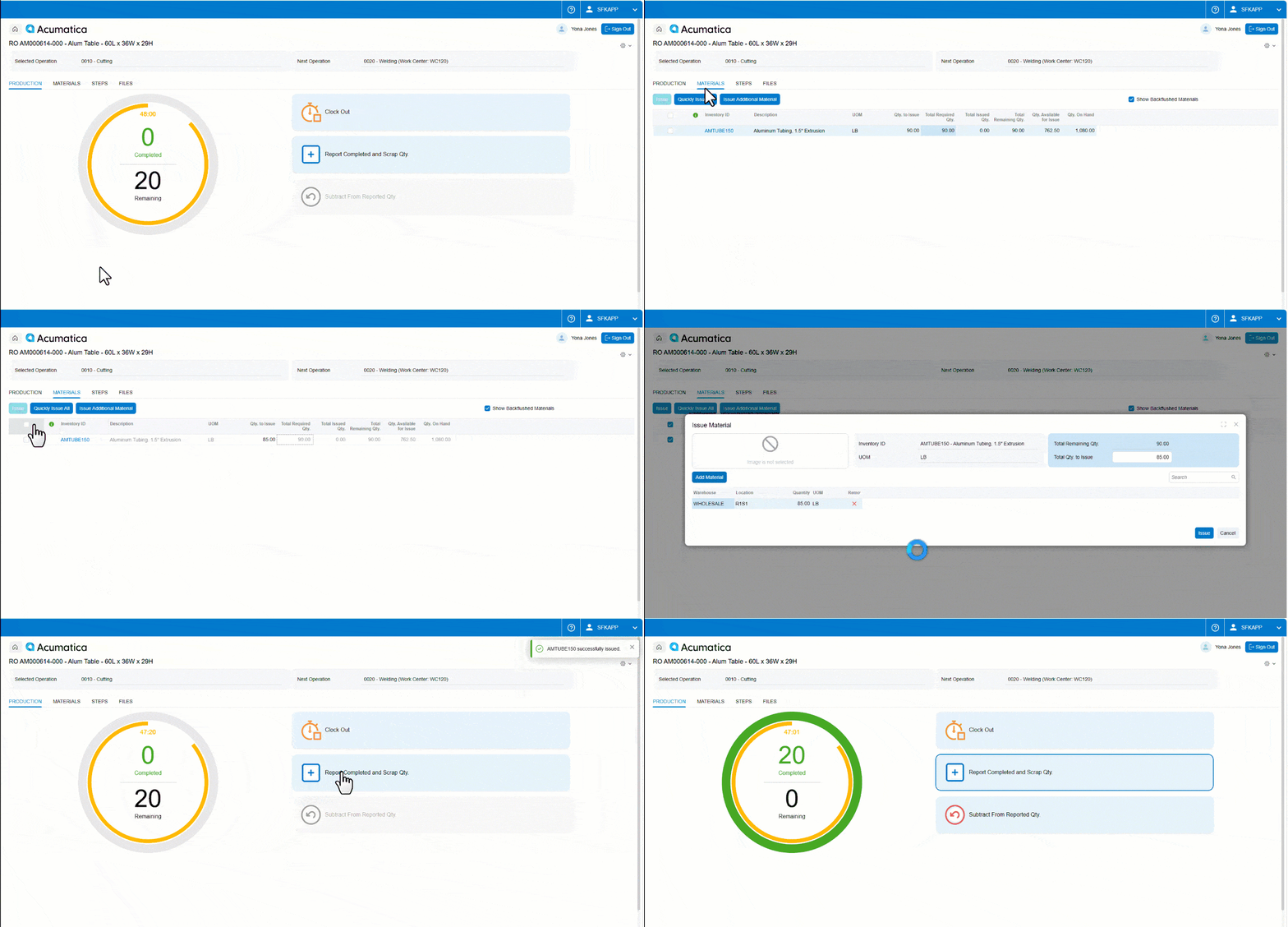
Issue materials straight to the operation you're working on, add the substitute or consumable item the job actually called for, and make corrections on the spot. Enter lot and serial attributes as you report production, and search by attribute value so the right lot or serial number gets consumed the first time. Everything the job requires gets captured where the work happens — traceability that holds up when quality or an auditor comes asking, and supervisors spending less time cleaning up yesterday's entries.
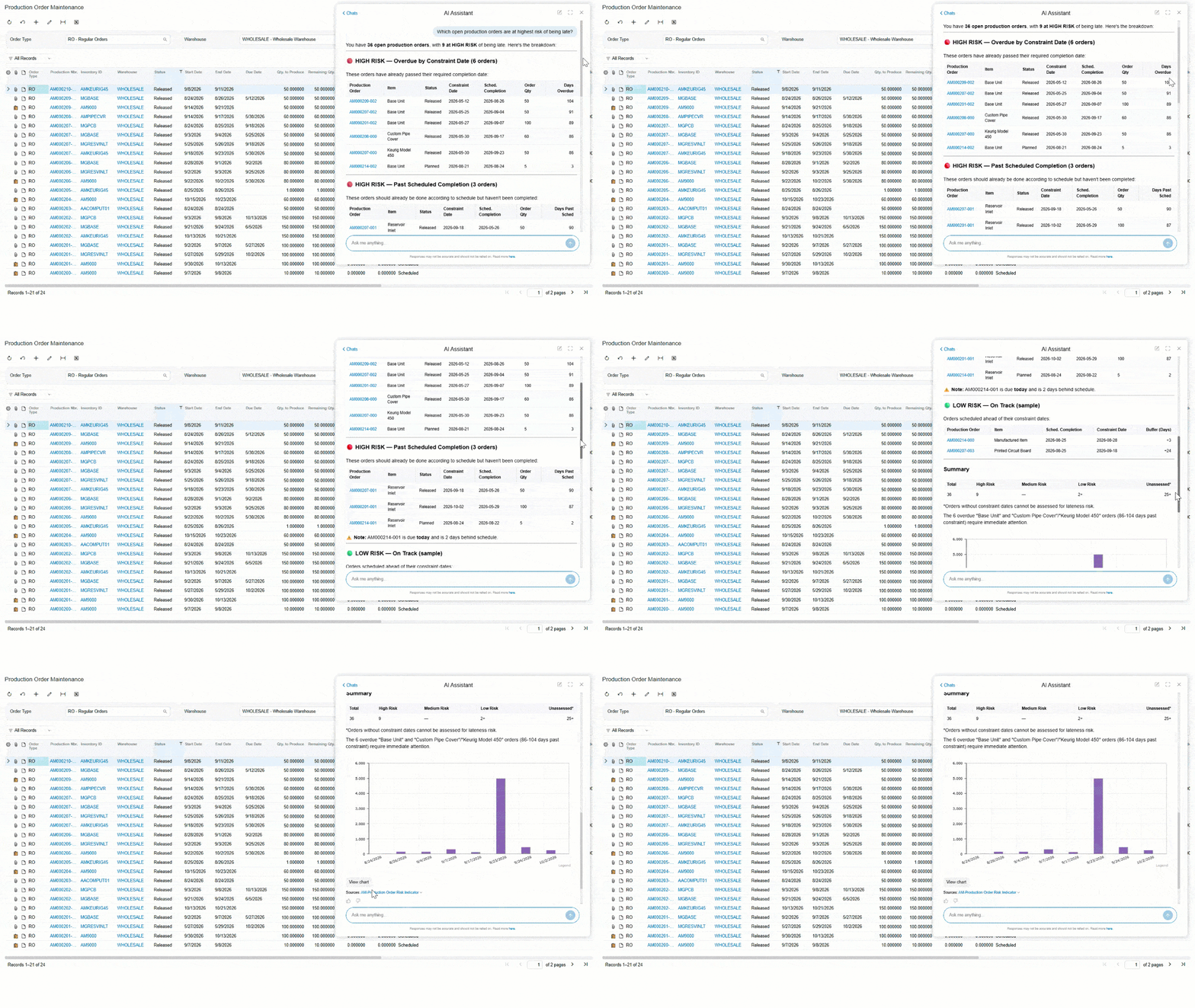
Ask AI Assistant plain questions about production and get manufacturing-specific answers back, without assembling them from separate reports and inquiries first. Four new generic inquiries give the assistant the data foundation to cover the operational questions that come up daily on the floor and in production management.
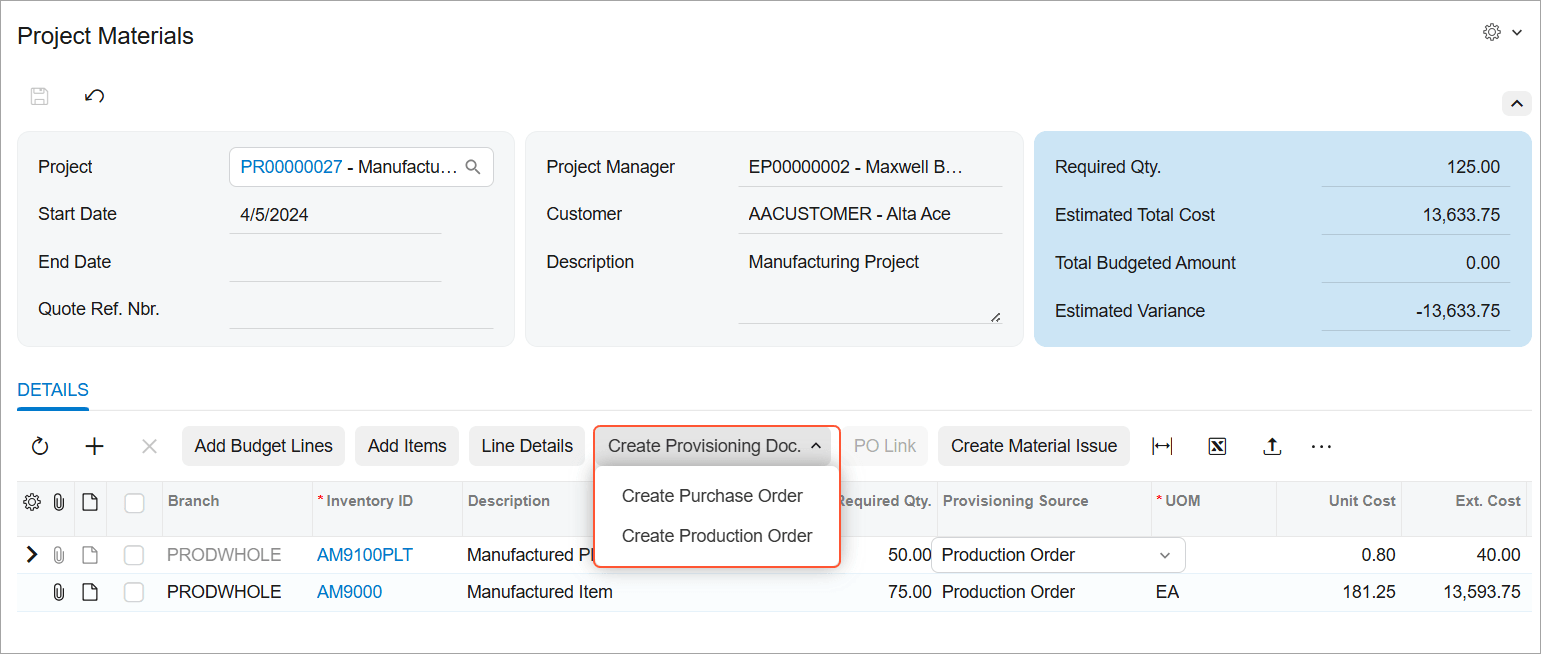
Mark project material lines for production automatically or by hand, then launch production order creation right from the material list when supply won't cover the need. Planners running the Create Production Order process see project demand alongside everything else, so bulk order generation covers project work too. Item, quantity, required date, project, task, and cost code all carry forward, and every order stays linked to the material line that drove it — so you can trace how project requirements are fulfilled, and catch missing BOMs or routings before they stall the job.
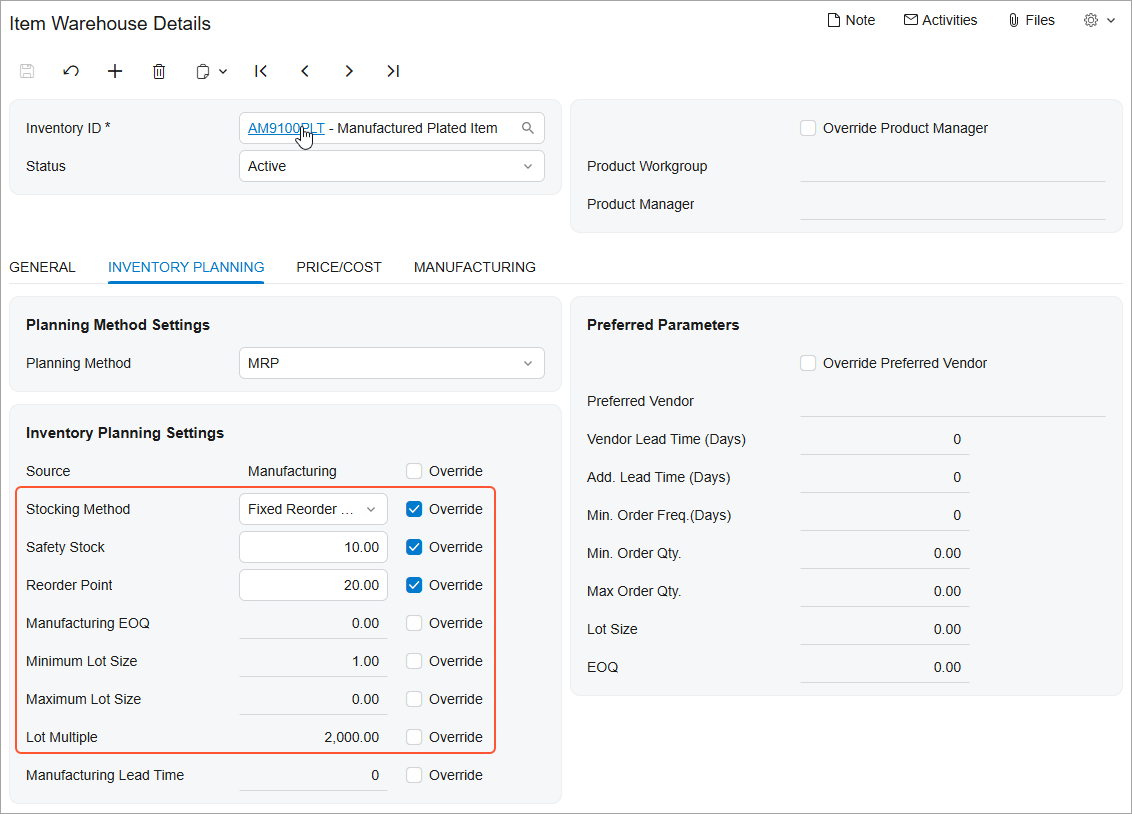
Safety stock and reorder point solve different problems, and MRP and DRP now plan them that way. Set a safety stock buffer to absorb demand spikes and late deliveries, keeping the cushion out of your available-to-plan calculation. Or set a reorder point that triggers replenishment at the trigger level and orders up to a maximum — sizing each order to the gap rather than a fixed quantity, which suits items with variable demand or long lead times. The right method per item means fewer stockouts on volatile parts and less capital tied up in the rest.